

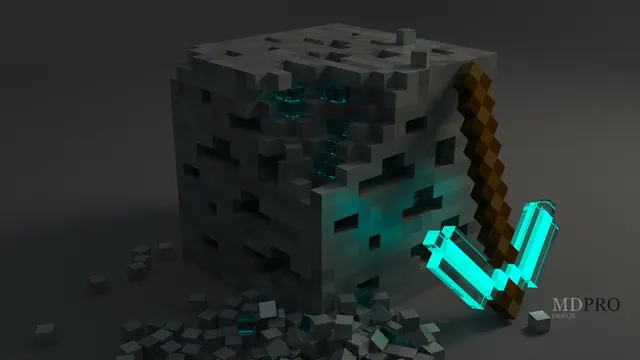
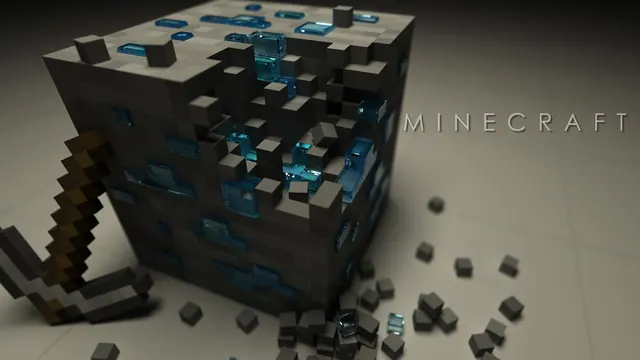
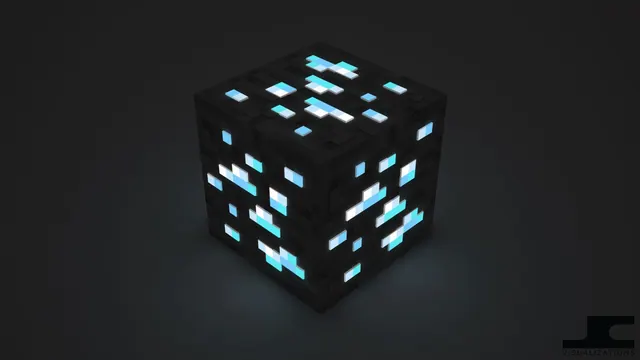
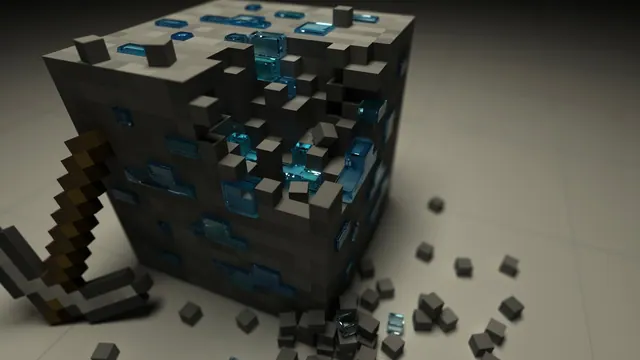
A 3D render of a partially mined Minecraft diamond ore block with glowing blue crystals, scattered stone voxels, and an iron pickaxe.
This moody 3D Blender render captures the exact moment an iron pickaxe breaks into a classic stone diamond ore block, sending loose stone voxels across the frame while glowing blue crystals light the dark surroundings. Rather than a full cave biome, it focuses tightly on the block and item interaction, pulling from pre-deepslate mining eras or standard Y-level stone strata. To get a similar look in-game, you would need a path-traced shader like SEUS PTGI, a 3D extruded ore resource pack, and the Physics Mod set to fracture blocks into miniature cubes upon breaking.
The source image measures 2560 x 1440 pixels, meaning it tops out at 2K rather than 4K. It is natively tailored for 16:9 widescreen monitors at 2560x1440, 1920x1080, 1280x720, and 854x480, though vertical crops at 720x1280 and 480x854 are available for smaller or older phones. Because scattered voxel debris and the pickaxe fill the frame, there are no calm areas for desktop icons or a phone lock-screen clock. If you use this on a PC, you will want to hide your desktop shortcuts or rely on an auto-hiding taskbar so file names do not clash with the textured stone.
Despite the bright diamond veins, the overall colour story is heavily anchored in dark, earthy neutrals. The palette is dominated by near-black charcoal (#151512) and deep slate (#2e312d), balanced by muted warm greys (#878574 and #6c6b5e) from the raw stone faces. Enabling your system dark mode with a cyan accent will tie your window borders and taskbar directly into the luminescent ore without washing out the moody shadows.
Best used as: Use the native 2560x1440 or 1920x1080 landscape download on a desktop monitor with your desktop icons hidden to keep the fractured stone details unobstructed.
Wallpapers that share the most with this one


More block & item wallpapers


More blender / 3d render wallpapers



Wallpapers in the same colour family




More desktop wallpapers











