

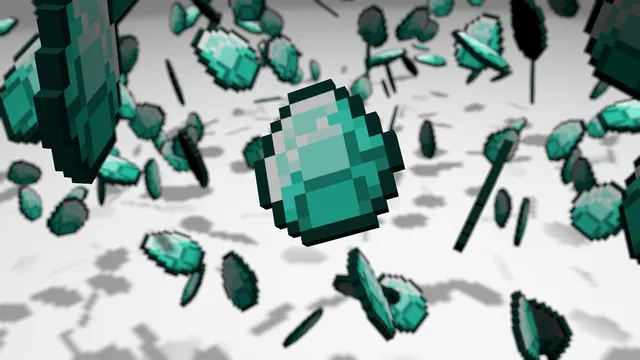
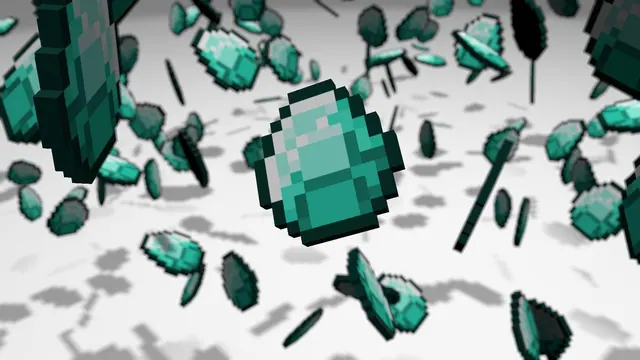
A 3D render featuring glowing Minecraft diamonds falling against a light background.
This image takes the standard Vanilla diamond item from Java Edition and brings it into Blender. Instead of sitting in an inventory slot or a chest, the items are rendered as three-dimensional glowing objects tumbling through an empty space. There are no biomes, terrain blocks, or architectural build styles present; the focus is entirely on the item geometry and the lighting. Despite the bright backdrop, the heavy contrast on the facets gives the composition a distinctly moody tone.
The source file is 1920 x 1080 pixels, meaning this wallpaper caps at 1080p and is not available in 4K. That makes the 1920x1080 download the right choice for standard 16:9 desktop monitors and laptops, while the 1280x720 and 854x480 versions suit smaller or older displays. A vertical 480x854 crop is also available for compact mobile screens. Because the falling items fill the frame, there are no calm areas for desktop icons or a phone clock to sit cleanly. You will get the best result if you hide your desktop icons or use a minimalist lock screen layout.
The palette mixes the deep teal of the shaded diamond edges (#1b3934) with a muted sage (#789993), set against a pale grey background (#d3d7d6 and #efefef). Setting your operating system to a light theme while using #1b3934 as your system accent colour will tie your taskbar and window borders directly to the render. Because this is an external 3D piece, you cannot build it naturally in survival, though you can approximate the scene in-game by building a white concrete room, activating a shader pack with emissive item textures, and using a repeating command block to summon diamond entities from the ceiling.
Best used as: Download the 1920x1080 version for a standard 16:9 desktop monitor, and hide your desktop icons so they do not clash with the scattered diamonds.
Wallpapers that share the most with this one


More block & item wallpapers


More blender / 3d render wallpapers



Wallpapers in the same colour family





More desktop wallpapers











