

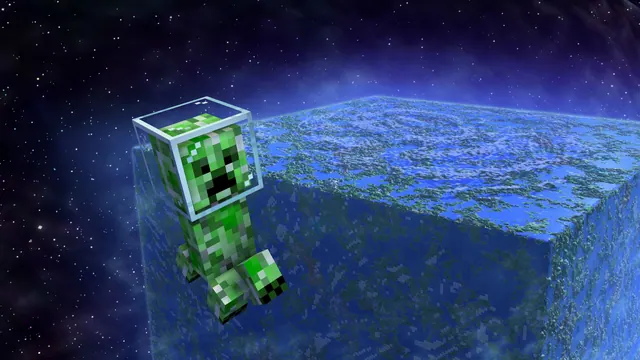
An abstract 3D render of a translucent glass Minecraft Creeper face glowing with neon purple and blue lights against a dark background.
This abstract Blender render reimagines the classic Creeper motif as a translucent glass sculpture floating in the Void. Rather than using standard pixelated textures, the geometry relies on smooth, refractive blocks that mimic purple and blue stained glass lit from within. The lighting setup goes beyond vanilla mechanics, behaving much like a ray-traced shader pack in Minecraft 1.20 where end rods or froglights are hidden behind tinted glass to cast neon gradients into an empty skybox.
To build something similar in game, head to the End and bridge far away from the main island to get a clean, pitch-black background. Construct the Creeper face frame out of black concrete for the unlit borders, then fill the eyes and mouth with layers of magenta and blue stained glass over sea lanterns. You will need a path-tracing shader such as SEUS PTGI or Rethinking Voxels to achieve this specific internal glow and glass refraction.
The source image is a native 2560x1440 resolution, meaning it tops out at 2K and is not available in 4K. It suits 16:9 QHD monitors natively, with clean downscales available at 1920x1080, 1280x720, and 854x480 for standard laptops or older displays. Two vertical crops—720x1280 and 480x854—are also generated for smaller mobile screens. Because the glowing face occupies the upper-middle frame, the bottom edge remains uncluttered, providing a practical dark zone for your desktop taskbar, dock, or a row of folder icons.
The palette is strictly dark, anchored by near-black void tones (#0a0310 and #120521) that prevent eye strain in low-light rooms. The neon highlights pull towards deep indigo (#2d195e) and a muted lavender (#735dbb) for the brightest edges. Set your operating system to dark mode and apply #735dbb as your custom system accent colour so your window borders and start menu match the glass refraction.
Best used as: Use the native 2560x1440 file for a 2K desktop monitor with your taskbar and icons anchored along the calm bottom edge, or pick the 720x1280 vertical crop for a compact phone screen.
Wallpapers that share the most with this one










More abstract wallpapers



More the void wallpapers



Wallpapers in the same colour family



More desktop wallpapers








