

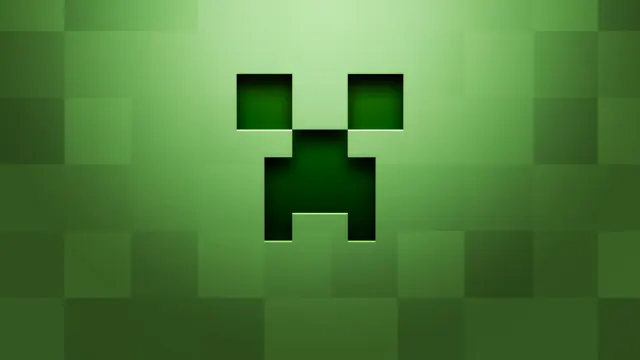
A classic close-up of the green pixelated Minecraft Creeper face, making a simple and recognizable background.
This image is a direct close-up of the standard Creeper face, bypassing biomes, block builds, and directional lighting entirely to focus on the vanilla mob texture. Because the pixelated pattern fills the entire frame with high-contrast black and green squares, there are no calm areas for desktop icons or phone lock screen clocks to sit comfortably. If you use this on a primary monitor, folder names and shortcut labels will inevitably clash with the sharp edges of the Creeper's eyes and mouth. It works best for users who hide their desktop icons completely or use a clean auto-hiding dock.
The colour story is entirely driven by a vibrant green palette, ranging from a pale mint (#9dd695) down to a deep forest green (#2ea624), bridged by mid-tones like #56aa4b and #68c959. Because the background is so bright, pairing this with a dark system theme and a muted charcoal taskbar prevents your screen from feeling overwhelmingly neon. If you want your operating system's accent colour to match the texture directly, set your window borders and highlights to #68c959.
The source file measures 1920 x 1200 pixels, giving it a native 16:10 aspect ratio that fits older widescreen monitors and modern productivity laptops without any vertical stretching. There is no 4K version available, as the resolution tops out just above standard HD. For standard 16:9 monitors, you can download the 1920x1080 or 1280x720 crops, while the 854x480 and 480x854 versions cater to very small displays or older mobile devices. To recreate this exact view in-game without a texture editor, summon a Creeper using the `NoAI` tag so it stays still, lower your field of view to 30, and walk right up to its face before pressing F1 to hide your interface.
Best used as: Use the native 1920x1200 file for 16:10 laptop screens or the 1920x1080 crop for standard monitors, ideally on a secondary display where you do not keep desktop icons.
Wallpapers that share the most with this one




More mob wallpapers


More creeper wallpapers





Wallpapers in the same colour family




More desktop wallpapers










