

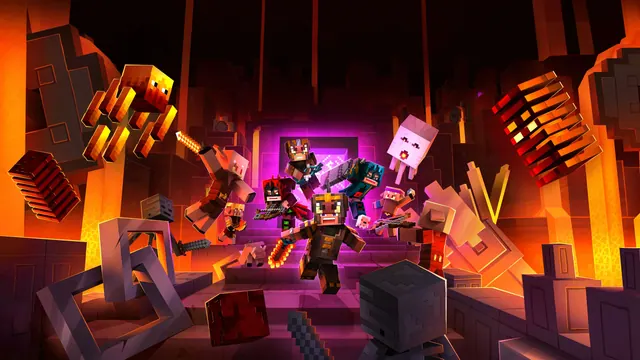
Official key art featuring the Piglin army and portal from Minecraft Legends in a vibrant nether-themed setting.
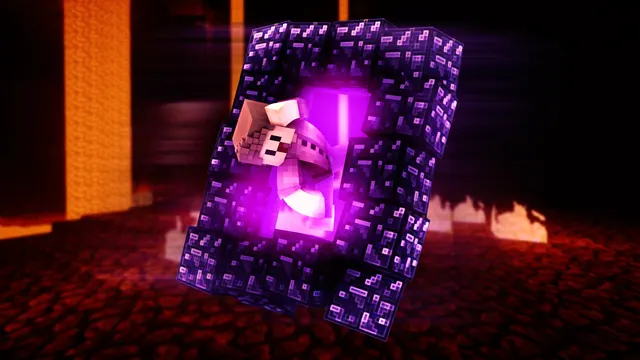
This piece of official key art depicts a Piglin invasionas seen in Minecraft Legends. The composition features a towering, obsidian-framed Nether portal emitting an ominous glow, surrounded by a horde of Piglins. The environment uses the high-contrast aesthetic typical of the Nether, characterised by deep crimson tones and dark, jaggedvolcanic terrain. As a 1920x1080 resolution asset, it does not reach 4K standards, but the sharp details of the Piglin silhouettes remain clear on standard high-definition monitors.
Regardinglayout, this image is dense with visual information across the entire frame. Because the portal and the mob army occupy almost every inchof the composition, there are no designated 'calm areas' for icon placement. If you use this on your desktop, expectyour icons to blend into the chaotic background; it is best suited for a clean desktop setup or as a secondary monitor backgroundwhere minimal visual interference is preferred.
The colour palette is anchored by a deep near-black (#120d0c), accented by blood-red (#ac4552) and softer rose hues (#c7879b). If youare customising your OS theme, a dark mode interface with deep crimson or muted purple accent colours will create a cohesive aesthetic that complements thesetones. For those using the 1280x720 or lower resolutions, keep in mind that the ratio remains strictly 16:9, so it will not fit mobile portrait screens without significant cropping.
To recreate thisatmosphere in vanilla Minecraft, travel to the Nether and locate a large lava sea. Use obsidian to build a custom-shaped, oversized portal frame, incorporating crying obsidian and blackstone to add texture. By using spawning eggs or commands to cluster a large groupof Piglins in front of the portal, you can mimic this high-intensity lighting scene using soul fire torches to castthe necessary deep, cold shadows.
Best used as: Choose the 1920x1080 filefor standard 16:9 desktop monitors, as the high density of the image makes it unsuitable for cropping to portrait phonedimensions.
Wallpapers that share the most with this one


More mob wallpapers
More the nether wallpapers


Wallpapers in the same colour family




More desktop wallpapers











