

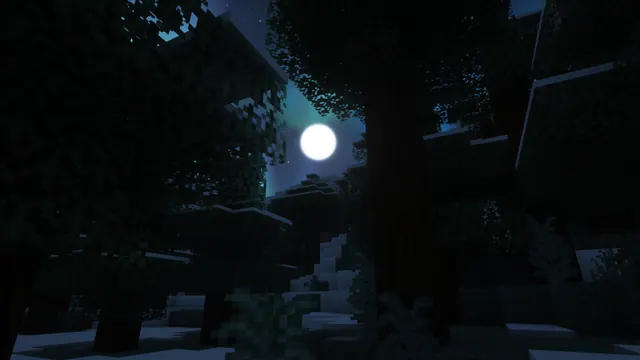
Atmospheric blue light rays pierce through heavy fog in a dark Minecraft taiga forest.
This scene captures a vanilla Minecraft Java Edition taiga biome, relying entirely on volumetric lighting rather than custom resource packs or intricate builds. Spruce trees and snow-dusted terrain sit under a heavy, wintry fog while directional shader rays cut through the canopy. Because the composition leaves the right side, top, and bottom relatively uncluttered, you have plenty of medium copy space. If you place your desktop icons along the right edge or use a top-mounted status bar, they will remain completely legible against the dark, misty background without obscuring the central shafts of light.
The image is a native 21:9 ultrawide capture at 2560 x 1080 pixels. It is worth noting plainly that the source resolution is below 4K, so it is best suited to 1080p ultrawide monitors rather than high-density 4K displays where it would need to upscale. For standard 16:9 widescreen monitors, we provide pre-cropped downloads at 1920x1080, 1280x720, and 854x480.
The colour palette is strictly nocturnal, anchored by midnight blues (#0f1526, #090c15) in the shadows and a rich navy (#1e2b4e) across the mid-ground fog. The light beams themselves carry a muted steel blue (#466299) that works well as a system accent colour for window borders and taskbars, paired with a dark OS theme. To recreate a shot like this in-game, load a standard Taiga seed in Java Edition, install a shader pack that supports atmospheric scattering and godrays, and set the time to just before dawn while increasing the fog density in your shader settings.
Best used as: Use the native 2560 x 1080 file for a 21:9 ultrawide monitor with icons aligned to the right, or pick the 1920x1080 crop for a standard Full HD display.
Wallpapers that share the most with this one


More landscape wallpapers




More taiga wallpapers
Wallpapers in the same colour family





More desktop wallpapers









