

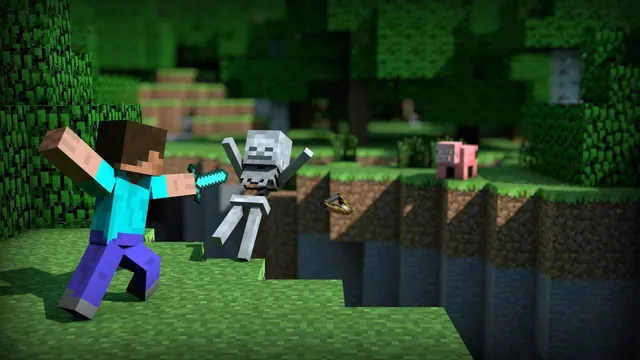
A 3D render of Steve wielding a diamond sword and knocking a skeleton into a deep ravine while a pig watches in the forest.
This Blender 3D render captures a classic vanilla combat encounter inside a dense forest biome. Steve swings a diamond sword, sending a skeleton tumbling into a deep ravine while a passive pig looks on from the grassy edge. Rather than relying on custom resource packs or heavy architectural builds, the image uses standard block textures and moody, directional lighting to cast long shadows across the oak foliage and exposed stone. To recreate a scene like this in-game, head into a standard forest until you find a natural ravine, wait for nightfall or heavy canopy shade, and use a Knockback-enchanted diamond sword to punt a stray skeleton over the ledge.
The source file is 2560 x 1600 pixels, giving it a native 16:10 aspect ratio that fits productivity laptops and taller monitors without stretching. It tops out at 2K resolution—so it is below 4K—and is best suited for standard desktop displays. We provide pre-cropped downloads at 2560x1440, 1920x1080, 1280x720, and 854x480 for widescreen setups, alongside 720x1280 and 480x854 for smaller vertical screens. Because the detailed foliage, characters, and ravine edges fill the entire frame, there are no calm areas for icons, meaning desktop shortcuts or mobile clock widgets will inevitably overlap the busy artwork.
A dark overall mood defines the image, making it comfortable for dimly lit rooms and late-night gaming sessions. The palette is anchored by deep pine shadows (#0c180c and #19291c) alongside muted moss and forest greens (#284728 and #506e3c). To keep your workspace cohesive, pair this background with a dark system theme and a #506e3c accent colour for your taskbar, window borders, and folder highlights. If you must keep files on your desktop, enabling high-contrast icon labels will ensure your text remains legible against the dark, textured leaves.
Best used as: Use the native 2560x1600 source on a 16:10 laptop with a clean desktop, or pick the 2560x1440 crop for a standard 16:9 QHD monitor.
Wallpapers that share the most with this one



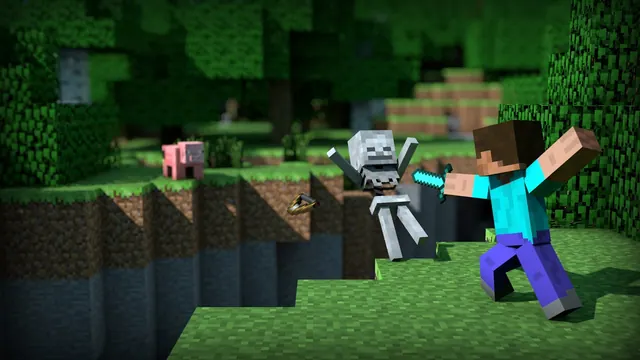

More player / skin wallpapers



More forest wallpapers

Wallpapers in the same colour family



More desktop wallpapers








