

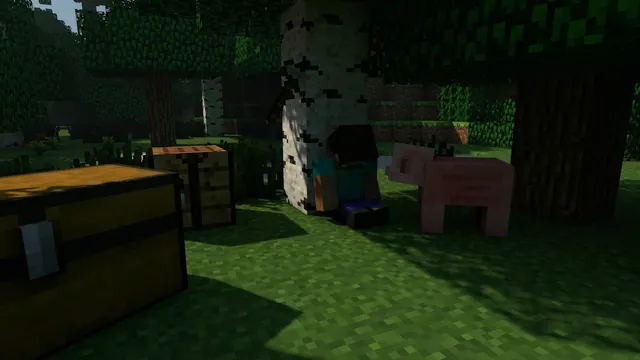
A 3D render of Steve sitting on a wooden bench beneath oak trees, overlooking the classic Minecraft tutorial world.
This 3D Blender render captures Steve taking a quiet break on an oak stair bench, looking out over the classic 1.7 to 1.12 tutorial world. Framed by dense oak foliage in a summer forest biome, the scene uses vanilla textures to ground the nostalgia of the early console-style village builds in the distance. Because this is an external render rather than an in-game screenshot, the lighting casts deep, realistic shadows across the grass blocks and timber structures. To recreate this viewpoint in-game, you would need to load an older legacy console tutorial seed, build a small wooden overlook on the bordering forest hillside, and use a third-person camera mod with a heavy shadow shader during the late afternoon cycle.
The colour story is distinctly dark, making it comfortable on the eyes in a dimly lit room. The image is dominated by deep woodland greens and near-blacks, specifically #23281c and #18180f in the heavy shadows, lifting slightly to #2c372a and #3b473c across the mid-tone leaves. Pair this background with a dark system theme and a muted sage or slate accent colour (#3b473c) for your taskbar and window borders.
Although the source file is an expansive 5000x3000 pixels (a 16:10 ratio), the available downloads are tailored for standard widescreen and vertical displays. Desktop users should grab the 3840x2160 or 2560x1440 resolution for a sharp fit on 4K and QHD monitors, while 1920x1080 and 1280x720 cover older setups. Phone users can opt for the 1440x2560 or 1080x1920 portrait crops, with 854x480, 720x1280, and 480x854 also available. Because the render is packed with overlapping leaves, cobblestone, and timber details, there are no calm areas for desktop icons or phone lock-screen clocks to sit cleanly; you will get the best result by hiding your desktop shortcuts or enabling a high-contrast drop shadow on your mobile clock.
Best used as: Use the 3840x2160 landscape download for a 4K desktop monitor with desktop icons hidden, or the 1440x2560 portrait crop for a high-resolution smartphone.
Wallpapers that share the most with this one



More player / skin wallpapers







More village wallpapers


Wallpapers in the same colour family


More desktop wallpapers






