

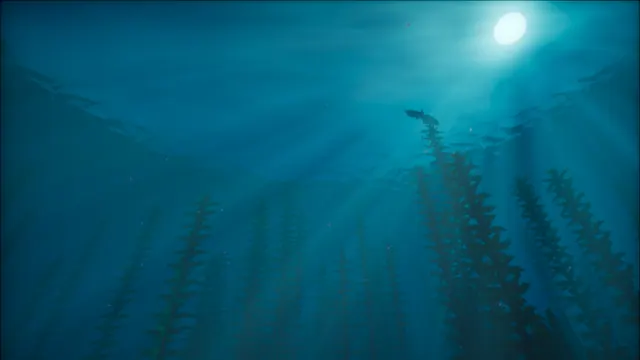
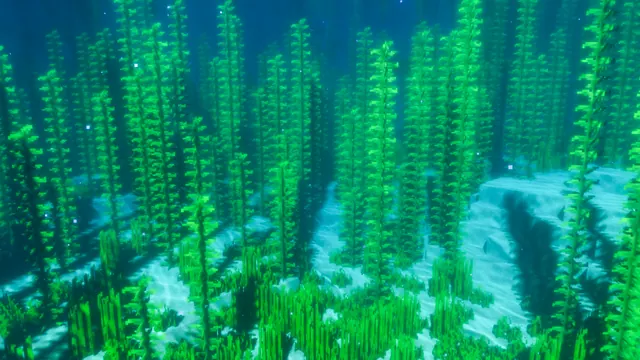
Bright sunlight beams down through the blue ocean water, illuminating a dense forest of tall Minecraft kelp plants.
This scene captures a natural ocean biome from Java Edition 1.13 Update Aquatic, showing how vanilla generation pairs with a third-party shader. There is no player-made build here; the focus is entirely on tall columns of kelp blocks rising from the ocean floor. Sunlight beams cut down through the water source blocks, creating a sharp contrast between the lit canopy and the dark, quiet seabed below. To recreate this in your own world, locate a deep ocean or lukewarm ocean biome where kelp generates densely, swim down near the gravel floor, and angle your camera slightly upwards while running a shader that supports volumetric underwater light rays.
The original capture is a 16:10 image at 2880 x 1800 pixels, meaning the resolution is 2K rather than 4K. Because the site generates specific crops for standard screens, the largest direct download is 2560x1440 for QHD monitors, alongside 1920x1080, 1280x720, and 854x480 for standard widescreen displays. If you want to use it on an older phone, vertical crops at 720x1280 and 480x854 are also available.
With an overall dark mood, the palette steps down from a bright cyan (#52b5d7) where the sun hits the water, through mid-tone teal (#164a62), down into deep slate (#0d2d34) and almost black (#07191e) at the base. The busiest visual areas are the light shafts at the top, leaving the calmest copy space at the bottom of the frame. This makes the wallpaper practical if you keep your desktop icons, dock, or taskbar anchored along the lower edge, or if your phone lock screen places widgets near the bottom. Pair this background with a dark system theme and a #52b5d7 accent colour so your window borders match the sunlit water without straining your eyes.
Best used as: Pick the 2560x1440 or 1920x1080 download for a widescreen desktop monitor, and arrange your folders or dock along the dark bottom edge for clear legibility.
Wallpapers that share the most with this one





More landscape wallpapers




More ocean wallpapers

Wallpapers in the same colour family




More desktop wallpapers








