

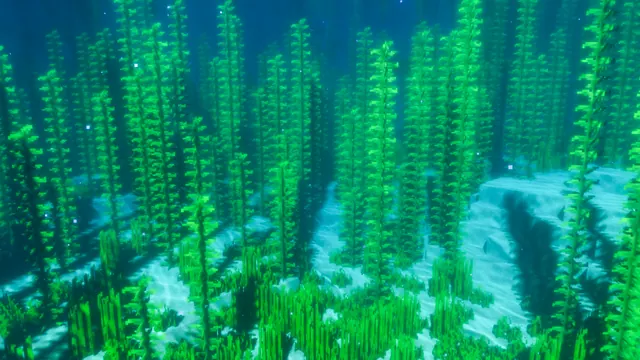
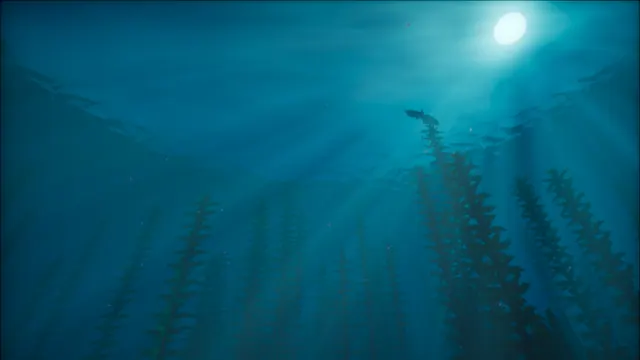
A serene view of a Minecraft kelp forest underwater with vibrant god rays shining through the water surface.
This desktop background captures a scene from the 1.13 Update Aquatic, focusing on a dense kelp forest biome. The lighting effect is generated via a shader pack applied to the vanilla generation, which creates godrays as light penetrates the surface. Because the image relies on high-contrast vertical structures of kelp blocks, the visual densityis high across the entire composition, meaning there are no specific calm areas free of detail where you can place desktop icons withoutrisking poor legibility.
The source resolution is 1920 x 1080 pixels, which is standardFull HD. This is below 4K, so users with ultra-high-resolution monitors may notice pixel softening if scaledup. The 16:9 aspect ratio is perfectly suited for standard widescreen monitors and laptops at the 1920x1080 or 1280x720 sizes. For mobile devices, you have theoption of 854x480 or the vertical 480x854 crop; chooseyour download size carefully based on your specific screen resolution to avoid unnecessary image blur.
The colour palette is dominated by deep sea teals and vibrant mossy greens (#34806c, #1e5237, #65b99f, #2b684a). This naturally vibrant mood works best with Windows or macOS system themes set to adark mode, particularly if you use an accent colour in a matching forest green or muted turquoise. To recreate this in yourown survival world, locate a warm ocean biome and position your camera at a low angle looking towards the surface at midday. Using a performance-friendly shader pack is essential to transform standard water transparency into the distinct god rays seen here.
Best used as: For a standard 1080p desktop monitor, select the 1920x1080 download to ensure the image fits your screen without scaling distortion.
Wallpapers that share the most with this one








More landscape wallpapers






More ocean wallpapers





Wallpapers in the same colour family




More desktop wallpapers








