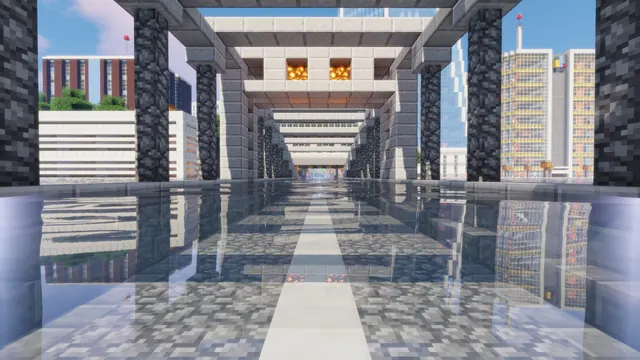
Glowing street lamps and modern buildings reflect across wet pavement under a starry night sky in Minecraft.
This scene captures a modern city build in Minecraft Java Edition with shaders applied to vanilla blocks. Street lamps and tall, contemporary buildings flank a wet asphalt road, likely built from grey concrete or blackstone, while a starry night sky sits overhead. Instead of relying on custom resource packs, the architecture uses standard blocks, letting the shader's screen-space reflections do the heavy lifting across the rain-slicked pavement. The lighting stays muted and warm against the cool urban backdrop, creating a dark mood that avoids glaring bright spots on your monitor.
The source image is native 8K at 7680x4320, giving you crisp block edges even on the largest 16:9 desktop displays. For standard widescreen monitors, you can grab the exact match in 3840x2160, 2560x1440, 1920x1080, 1280x720, or 854x480 without relying on your operating system to scale the file. Vertical crops are also ready at 1440x2560, 1080x1920, 720x1280, and 480x854 for mobile screens. In layout terms, the image offers medium copy space, with the calmest area along the bottom where the dark wet pavement stretches out. This lower section is the best spot to arrange desktop shortcuts or dock icons so they remain readable against the reflections.
The palette is anchored by deep midnight blue (#0a0e15) and slate grey (#262834), warmed slightly by dark charcoal (#191618) and muted plum-grey (#3f3943) accents. Because the overall tone is dark, pair it with a dark system theme on Windows or macOS, and set your OS accent colour to a soft slate or muted lavender to match the #3f3943 highlights. To recreate this in your own world, build a wide street using grey concrete and sea lanterns, set the weather to rain, then toggle it clear while running a shader with puddle reflections enabled and your FOV lowered to around 30.
Best used as: Pick the 3840x2160 or 2560x1440 landscape download for a 16:9 desktop monitor and place your taskbar or folder icons along the calm bottom edge.