

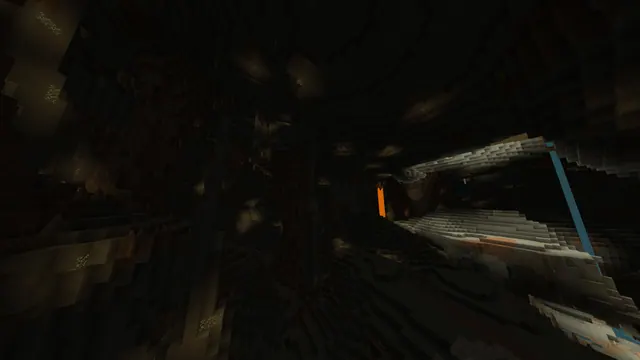
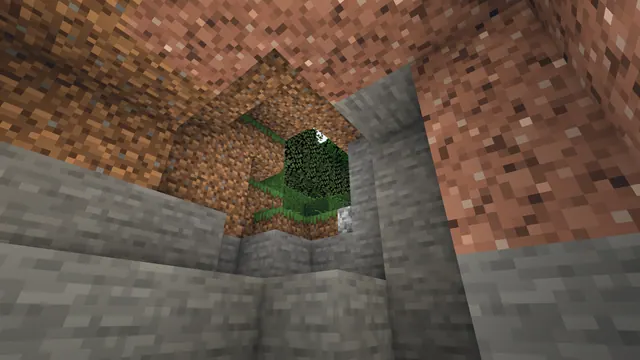
A dimly lit underground dripstone cave in Minecraft featuring large stalagmites and stone formations.
This vanilla screenshot captures the deep interior of a Dripstone Cave, a biome introduced during the 1.17–1.18 Caves & Cliffs update. The scene relies entirely on natural terrain generation rather than player-built structures, showcasing large stalagmites and pointed dripstone formations emerging from the stone and dripstone block floor. Lighting is minimal, leaving the vast cavern in deep shadow. To recreate a view like this in your own world, locate a large underground dripstone biome, set your brightness to Moody, turn off your HUD with F1, and remove nearby torches so the ambient darkness takes over.
The source image measures 2560 x 1442 pixels, which means it tops out at 2K resolution and does not reach 4K. For standard 16:9 monitors, you can download the exact 2560x1440 crop for QHD displays, or step down to 1920x1080, 1280x720, or 854x480 for smaller laptop screens. Although it is a wide landscape capture, vertical crops at 720x1280 and 480x854 are also available if you want the cavern stone on an older mobile display.
Because the cavern is so dimly lit, the entire frame acts as uncluttered copy space across the top, bottom, left, right, and centre. Desktop icons and folder labels will remain legible wherever you place them, and a phone lock-screen clock will never clash with bright background details. The dominant palette sits almost entirely in the near-black range, pulling hex values like #121111, #141313, #100d0d, and #0c0c0d from the shadowed stone. This makes the image a practical match for a dark system theme paired with a muted grey or warm brown accent colour, keeping late-night screen glare to an absolute minimum.
Best used as: Pick the 2560x1440 crop for a 1440p desktop monitor running dark mode, as the shadowy stone leaves desktop icons clear in any position.
Wallpapers that share the most with this one




More landscape wallpapers




More dripstone caves wallpapers


Wallpapers in the same colour family






More desktop wallpapers









