

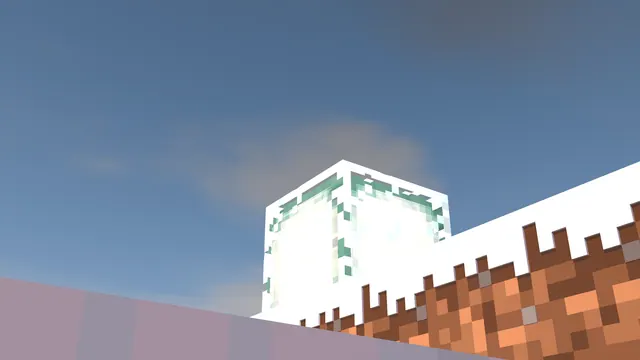
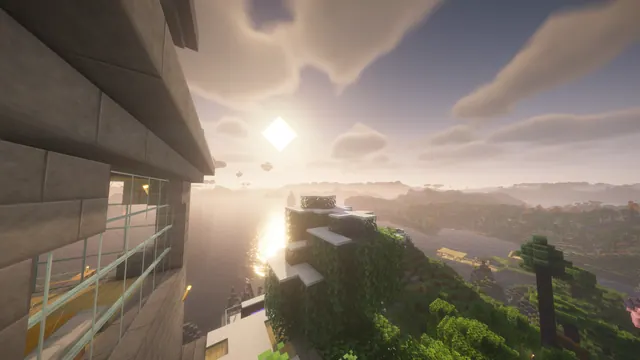
Looking up at a sleek white and glass modern skyscraper in Minecraft with a bright sun flare against a clear blue sky.
This shot angles straight up the facade of a modern skyscraper built in Minecraft Java Edition. Rather than relying on custom resource packs, the architecture uses vanilla white concrete and quartz blocks paired with clear glass panes. A shader pack handles the heavy lifting for the lighting, casting a direct sun flare across the geometry and turning an otherwise bright daytime sky into something surprisingly moody. To recreate this perspective in your own world, lay down a clean grid of white blocks, disable clouds in your video settings, enable a shader with strong lens flare, and lower your field of view to 30 while looking almost vertically up from the base of the build.
The image is a native 16:9 widescreen capture, with a maximum resolution of 1920x1080 pixels. Because the source file caps out at 1080p, it is well suited to standard Full HD desktop monitors and laptops, though it will look slightly soft if stretched across a 1440p or 4K display. Lighterlandscape variants are available at 1280x720 and 854x480 for older screens, alongside a single vertical crop at 480x854 that only really suits very small or secondary mobile displays.
Because the tower anchors the right side of the frame, the top and left edges remain open sky, giving you plenty of uncluttered copy space. Your default left-aligned desktop icons will sit cleanly against the blue gradient without getting lost in the window grid of the skyscraper, and a top-mounted status bar or clock widget stays entirely readable.
Despite the direct sun, the colour palette stays cool and understated. It pulls heavily from muted periwinkle (#8a9fc8), pale steel (#a6b4d2), and off-white (#cacddd) where the light hits the structure, balanced by deep slate shadows (#54526e) in the glass recesses. Set your operating system to a dark theme and use a slate blue or cool grey accent colour to tie your taskbar and window borders neatly into the shaded side of the tower.
Best used as: Use the full 1920x1080 landscape file on a standard 1080p desktop monitor and keep your desktop icons aligned to the left-hand side of the screen.
Wallpapers that share the most with this one





More build / architecture wallpapers






More modern wallpapers




Wallpapers in the same colour family







More desktop wallpapers





