

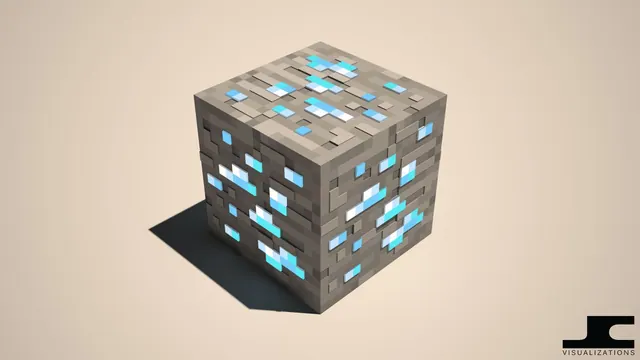
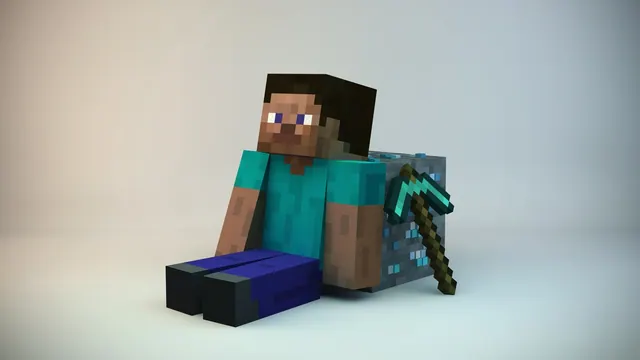
Minimalist 3D render of Minecraft Steve sitting against a diamond ore block with a diamond pickaxe on a clean studio background.
This Blender 3D render strips away the typical underground cave biome for a clean studio backdrop. Steve rests against a single diamond ore block with a diamond pickaxe beside him, using the classic vanilla textures from the 1.7 to 1.12 era before the Texture Update altered the ore patterns. To recreate a scene like this in-game without external rendering software, you can build a hollow cube of white concrete—introduced in version 1.12—and light it evenly with hidden sea lanterns to eliminate harsh shadows, then use a poseable armour stand mod or the Replay Mod to position your player model.
The source file measures 1920 x 1200 pixels, giving it a native 16:10 aspect ratio that fits productivity monitors and many modern laptops without stretching. It is not a 4K image, so it will look soft if stretched across an ultra-high-resolution display. For standard widescreen desktop monitors, the 1920x1080 crop is the sharpest choice, while 1280x720 and 854x480 serve older or secondary screens. A vertical 480x854 cut is available for small mobile displays, though the resolution is quite low for modern smartphones.
Because the subject is centred near the bottom, there is generous copy space along the left, right, and top edges. Desktop users can stack application shortcuts on either flank without covering the diamond ore, and mobile users will find the lock-screen clock sits clearly in the upper frame.
The overall mood is light, built around muted studio greys (#afb4b2, #bdc9c9) and a warm neutral tone (#d3cbbc) that keep screen glare comfortable during daytime work. Pairing your operating system with a dark slate accent (#4a5b5b) and a light system theme will tie your taskbar and window borders directly into the deeper shadows of the render.
Best used as: Use the native 1920x1200 file for 16:10 laptops, or pick the 1920x1080 crop for standard widescreen desktop monitors while keeping your icons arranged along the left, right, and top margins.
Wallpapers that share the most with this one




More player / skin wallpapers





More steve wallpapers

Wallpapers in the same colour family




More desktop wallpapers








