
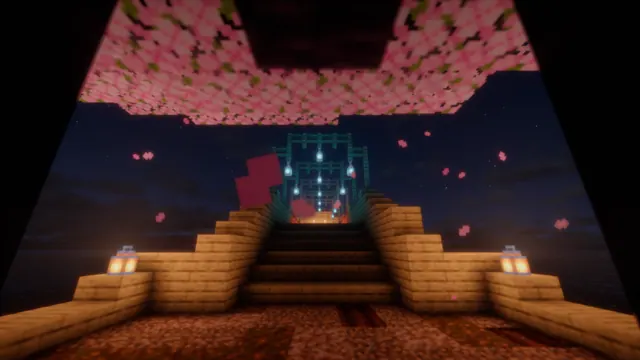
A glowing wooden bridge framed by falling pink cherry blossom petals under a starry night sky in Minecraft.
This capture from Java Edition showcases a traditional Japanese-style wooden bridge spanning a 1.20 Trails & Tales Cherry Grove biome. The structure uses vanilla blocks, likely combining dark oak or spruce with cherry wood accents, while a shader pack handles the starry sky and the warm, localized glow of lanterns against the night. Falling pink petals fill the foreground, framing the architecture in a distinctly spring setting.
The source image measures 2560 x 1440 pixels, meaning it tops out at 2K rather than 4K. It is natively a 16:9 widescreen image, making the 2560x1440 and 1920x1080 downloads ideal for standard QHD and Full HD desktop monitors, alongside smaller 1280x720 and 854x480 options. Vertical crops at 720x1280 and 480x854 are available for older phones or secondary displays, though modern high-density mobile screens may show some softness.
Because the cherry blossom foliage, bridge details, and falling particles extend across the entire frame, there are no calm areas for desktop icons or a phone lock-screen clock to sit cleanly. This background works best on a clutter-free desktop setup with an auto-hiding taskbar. The dark palette is anchored by near-black night tones (#040306 and #1e1014) and warmed by the deep browns and muted reds of the illuminated wood (#40231e and #773e33). Pair this wallpaper with a dark system theme and set your OS accent colour to #773e33 for a cohesive terracotta highlight.
To recreate this scene in your own world, locate a Cherry Grove biome and construct an arched bridge using stripped wood, slabs, and stairs to achieve the curved Japanese roofline. Hang lanterns beneath the eaves to cast warm light across the planks, and load a shader with custom starfields and bloom effects before setting the in-game time to midnight.
Best used as: Use the 2560x1440 or 1920x1080 landscape download on a widescreen desktop monitor with desktop icons hidden.








