
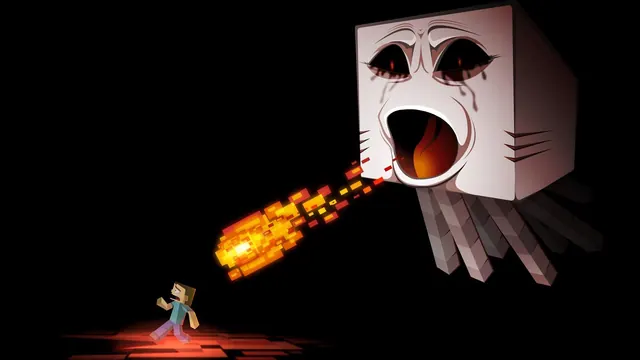
Stylized Minecraft fan art depicting a terrifying giant Ghast shooting a pixelated fireball at a fleeing Steve against a pitch-black background.
This fan art captures a dramatic Nether encounter, rendered in a stylised digital paint style rather than standard blocks. Against a pitch-black background, a colossal Ghast—far larger than its in-game counterpart—fires a blocky, glowing orange fireball directly at Steve, who is caught mid-flight while fleeing. The lighting is harsh and high-contrast, cast entirely by the burning projectile and the pale, tear-stained face of the hostile mob, evoking the grim survival atmosphere of early Minecraft update trailers. Recreating this exact framing in-game would require custom model editing or a dedicated cinematic tool like ReplayMod, as vanilla Ghasts do not scale to this size and standard view distances rarely permit such theatrical composition.
The source image measures 1920 x 1200 pixels, meaning it lacks the resolution for native 4K displays, but it suits standard desktop monitors and laptops perfectly. From that single master file, the available download options are 1920x1080, 1280x720, 854x480, and 480x854; choose the first two for widescreen monitors and the latter two if you are adapting the crop for mobile devices.
Because the action is concentrated on the right-hand side, the left side offers a clean, dark expanse where desktop shortcuts will not clash with the visuals. Similarly, the top and bottom strips remain relatively uncluttered by the focal points of the fireball and the mob's tentacles, providing natural breathing room for taskbars or widgets.
The dominant colour palette is exceptionally restrained, anchored by pure black (#000000 and #040000) alongside muted flesh tones (#b28e7a) and deep, scorched browns (#2f1512). This makes it an ideal pairing for dark-mode operating system themes, particularly when paired with a burnt orange or dark crimson accent colour to echo the glowing projectile.
Best used as: Select 1920x1080 for standard widescreen monitors, placing your desktop icons on the left side to keep the Ghast and fireball fully visible.








