
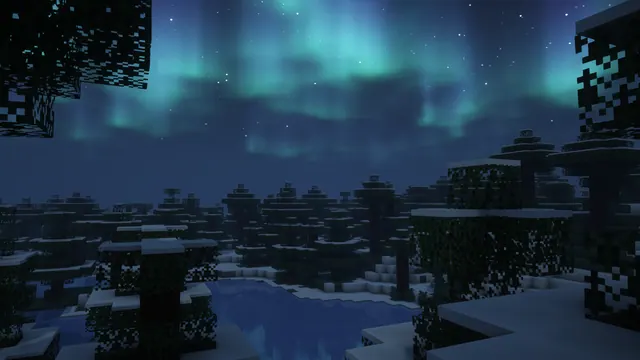
Vibrant green northern lights illuminate a starry night sky above a frozen lake and snow-covered spruce trees in Minecraft.
This landscape captures a vanilla Snowy Taiga biome in Java Edition, modified only by a shader pack that adds a green aurora and starry sky. There are no custom builds here; the scene relies entirely on natural world generation, featuring spruce wood, spruce leaves, snow layers, and a frozen lake made of standard ice blocks. To recreate this view yourself, locate a snowy taiga bordering a frozen river or lake, set the time to midnight, and enable a shader with custom skybox and northern lights options enabled.
The source image is a native 3840x2160 4K capture, making it a sharp fit for standard 16:9 desktop monitors. You can download that full resolution or step down to 2560x1440, 1920x1080, 1280x720, or 854x480 for older displays. For mobile devices, vertical crops are provided at 1080x1920, 720x1280, and 480x854. Because the composition is filled with detailed spruce foliage, bright stars, and the ribbon of the aurora, there are no calm areas for icons or lock-screen clocks. If you use this on a desktop, you may want to hide your desktop icons or use a translucent taskbar to avoid visual clutter.
Despite the green glow in the sky, the overall mood is decidedly dark and suits a night-time setup. The palette is anchored by near-black shadows (#080d0f) and deep slate blues (#172333 and #253956), with the lighter steel blue (#2d4a66) lifting the midtones on the snow and ice. Set your operating system to dark mode to prevent bright window borders from clashing with the night sky, and pick a muted blue (#2d4a66) or a soft aurora green as your system accent colour.
Best used as: Pick the 3840x2160 or 2560x1440 horizontal file for a clutter-free desktop monitor, or use the 1080x1920 vertical crop as a phone home screen with minimal widgets.








