
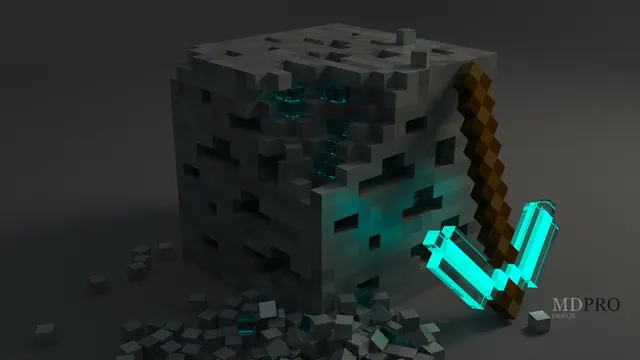
A 3D render of a crumbling Minecraft diamond ore block beside a glowing cyan diamond pickaxe on a dark studio background.
This Blender 3D render strips away the standard Minecraft biome to focus entirely on two core survival elements: a crumbling diamond ore block and a diamond pickaxe. Instead of using the standard in-game sun or torchlight, the scene relies on dark studio lighting, where the cyan head of the pickaxe acts as the primary light source, casting a sharp glow across the fractured stone textures. To mimic a shot like this inside the actual game, you would need to build a black concrete studio box, place a diamond ore block on the floor, and use an invisible item frame to prop a pickaxe beside it, relying on Optifine or Iris with an emissive resource pack to make the cyan pixels emit light.
The source file measures 2560 x 1411 pixels, which means it tops out at 2K rather than 4K. While that original dimension is slightly narrower vertically than a standard monitor, the available 1920x1080, 1280x720, and 854x480 downloads fit 16:9 widescreen displays without any awkward stretching. There are also two vertical crops at 720x1280 and 480x854, which suit older or secondary mobile screens rather than high-density modern flagships.
Because the subjects are anchored toward the bottom right, the composition leaves uncluttered space along the top and left edges. Desktop users can stack their folders and shortcuts down the left-hand side without covering the pickaxe, while mobile users will find the lock-screen clock sits clearly in the upper dark zone. The dominant palette is a tight cluster of muted charcoals and deep slate greys—specifically #151817, #222625, #2d302f, and #3c403d. This dark mood pairs naturally with a dark OS theme, and setting your system accent colour to cyan will tie your taskbar and window borders directly to the glowing tool head.
Best used as: Download the 1920x1080 version for a standard full HD desktop monitor and keep your desktop icons aligned to the left-hand side.








