
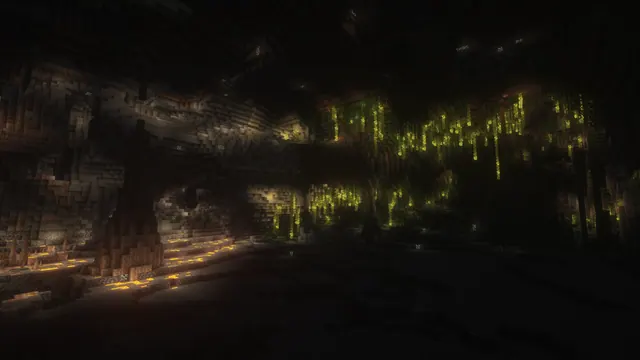
A vast dark underground cavern in Minecraft featuring glowing lush cave vines on the right and warm lava pools on the left.
This scene captures a natural subterranean landscape from Java Edition 1.17–1.18 Caves & Cliffs, where a Lush Caves biome meets a deep lava ravine. Rather than relying on custom player builds, the composition uses vanilla terrain generation enhanced by shaders. On the right, hanging cave vines Heavy with glow berries cast a soft illumination against the stone, while the left side is lit by the harsher, warm glow of open lava pools. If you want to recreate this in your own world, locate a large noise cave below Y-level 0 in 1.18, bone-meal the ceiling vines to produce glow berries, and apply a shader pack that emphasizes volumetric block light in dark environments.
Because the source file tops out at a native 2560x1440 resolution, it is a 2K image and sits below 4K. It is best suited for standard 16:9 QHD monitors, or downscaled to 1920x1080, 1280x720, and 854x480 for smaller displays. Two vertical crops (720x1280 and 480x854) are also available for older phones or compact secondary screens. Despite the hanging vines, the image offers medium copy space with calm areas along the top, bottom, and right edges. If you keep your desktop shortcuts on the right-hand side or use a top-docked taskbar, your icons and text will remain legible without competing with the brighter lava pools on the left.
The colour story is overwhelmingly dark, anchored by near-black stone shadows (#0a0908, #0c0b09, and #15110d) and warmed slightly by an earthy umber tone (#382e1d). This makes the wallpaper very comfortable for late-night use in dimly lit rooms. To match this palette, set your operating system to its native dark mode and pick a muted amber or warm gold system accent colour to echo the glow berries and lava.
Best used as: Use the 2560x1440 or 1920x1080 landscape download for a 16:9 desktop monitor, and align your desktop icons to the right edge or top corners for the clearest readability.








