
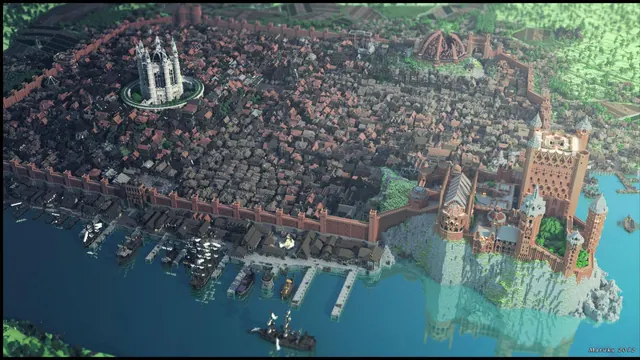
Aerial view of a sprawling Minecraft medieval city surrounded by high stone walls, featuring a cliffside castle and a busy harbor with ships.
This aerial view captures a sprawling medieval megabuild built across a Plains biome and coastal edge, dating from the Java Edition 1.7 to 1.12 era. High stone walls ring dense city streets, leading up to a cliffside castle overlooking a busy port filled with rigged ships. Rather than relying on modern in-game shaders, the scene uses a Medieval resource pack and was exported for an external Chunky Render to create moody summer lighting. If you want to recreate a shot like this, build your city with a muted palette of stone bricks, cobblestone, and dark oak, then load the world file into Chunky to position a low sun angle with heavy atmospheric fog.
The source image measures 2829 x 1584 pixels, which means it falls short of native 4K resolution. However, it scales cleanly to the 2560x1440 download for 2K desktop monitors, and will look sharp on standard 1920x1080 or 1280x720 displays. An 854x480 option is also available for smaller horizontal windows. While vertical cuts exist at 720x1280 and 480x854 for older or budget phones, the wide 16:9 composition is clearly built for widescreen PC setups.
Because the sprawling architecture and rigging fill the entire frame, there are no calm areas for desktop icons or phone lock-screen clocks to sit without clashing against intricate roofs and walls. You will get the cleanest result if you hide your desktop shortcuts or move them to a secondary monitor. The colour palette is dominated by slate and desaturated teal tones—specifically #23303c, #424c55, #607073, and #7f9389—which pair naturally with a dark system theme and a muted sage or steel-blue taskbar accent colour.
Best used as: Use the 2560x1440 or 1920x1080 landscape download on a widescreen desktop monitor with your desktop icons hidden.








