
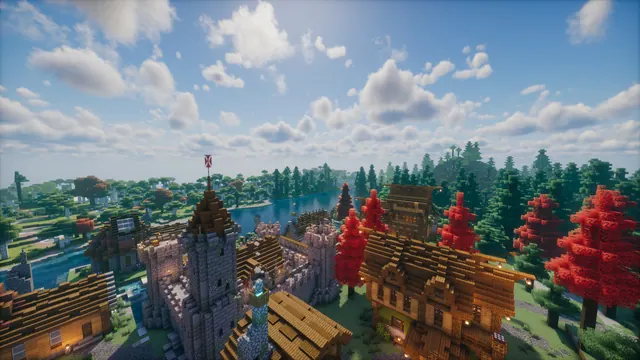
A scenic Minecraft medieval town with a stone castle, timber houses, and red autumn trees beside a calm forest river under cloudy skies.
This moody Java Edition capture frames a medieval stone castle and timber-framed town nestled along a calm forest river. Despite using vanilla block textures, the scene relies on a custom shader to introduce overcast clouds, flat atmospheric lighting, and smooth water reflections, alongside a resource pack tweak for the red autumn foliage. To recreate a build like this in your own world, mix cobblestone, stone bricks, and andesite for the castle walls, then contrast them with stripped spruce logs and white terracotta or wool for the half-timbered houses along the riverbank.
The native source image is a full 3840x2160 4K resolution, making it sharp on large 16:9 desktop monitors. If you run a standard display, exact downscales are available at 2560x1440, 1920x1080, 1280x720, and 854x480. For phone users, vertical crops exist at 1080x1920, 720x1280, and 480x854, though these cut off much of the flanking forest.
Because the medieval architecture, dense autumn trees, and textured clouds fill the entire frame, there are no calm areas for desktop icons or a mobile lock-screen clock to sit cleanly without overlapping busy details. You will get the cleanest result if you hide your desktop shortcuts entirely or use a transparent taskbar.
The image's palette is anchored by deep timber brown (#3a2b28) and muted slate green (#4f5951) in the lower half, balanced by overcast steel blues (#7e9bb4 and #a8b7c8) across the sky and river. Pair this background with a dark OS theme and a #7e9bb4 accent colour so your window borders and system menus match the chilly river reflections without drawing attention away from the town.
Best used as: Pick the 3840x2160 or 2560x1440 horizontal crop for a clutter-free desktop monitor where you can hide your desktop icons.








