
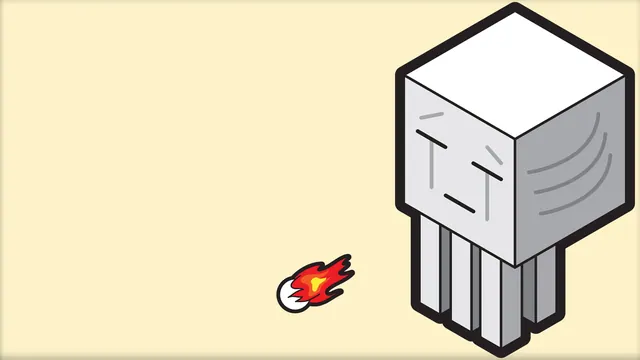
A clean, minimalist isometric illustration of a Minecraft Ghast shooting a small fireball against a soft cream background.
This clean, minimalist isometric illustration depicts a classic Minecraft Ghast hovering above a soft cream background, captured mid-attack as it releases a tiny, neat fireball. Built in a stylized, modern digital art format rather than standard in-game chunks, the piece strips away the usual clutter of the Nether—leaving no jagged netherrack or swirling lava falls—to focus purely on the floating, tentacled mob rendered with gentle shading and sharp geometric lines. The overall mood is distinctly light and uncluttered, making it a refreshing departure from the usual dark, chaotic wallpaper fare found online.
Measuring 1920x1080 pixels at its maximum, this source file sits strictly at Full HD; it is not a 4K wallpaper, so users with ultra-wide or high-DPI displays should note the resolution limit. Alongside the native 1920x1080 desktop option, the download links also provide 1280x720 and 854x480 for smaller widescreen monitors, plus a 480x854 portrait crop for mobile devices. Because the composition leans heavily into negative space, desktop icons will sit comfortably in the top and left areas without obscuring the central Ghast illustration. The dominant palette revolves around warm, pale neutrals—specifically soft creams (#fdf2c9, #fdfdf3) paired with subtle grey-beige tones (#ada79d, #f1f2f3)—which pair brilliantly with light system themes, pastel desktop accents, or warm-toned UI setups.
Recreating a static, minimalist scene like this directly inside Minecraft requires a touch of creativity. Builders would need to construct a custom, oversized Ghast statue using white concrete, grey wool and pink terracotta for the facial details, positioned against a massive flat wall of smooth quartz or bone blocks in a superflat world. Achieving the clean isometric angle relies on third-party rendering tools like Chunky or Blender rather than the standard F1 in-game perspective, combined with flat studio lighting to entirely banish harsh shadows.
Best used as: Choose the 1920x1080 size for standard desktop monitors, placing your system icons along the top and left edges where the background remains open.








