
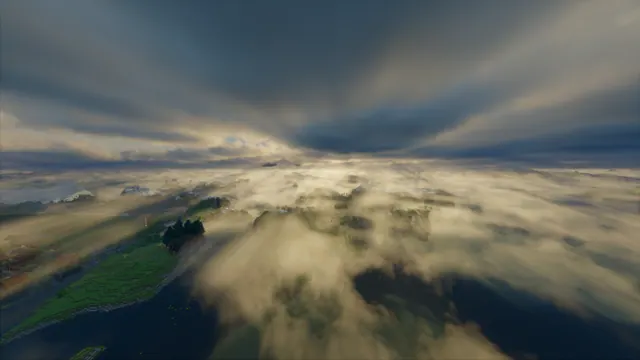
An expansive aerial view of Minecraft islands and rivers blanketed in thick, realistic volumetric clouds and fog under a dramatic sky.
This aerial landscape captures a vanilla Plains biome in Minecraft Java Edition, completely unaltered by player builds. Instead of architectural structures, the focus is on natural terrain generation: grass blocks, dirt banks, and winding rivers viewed from high altitude. The heavy atmosphere comes entirely from a third-party shader pack that replaces the default skybox with thick volumetric clouds and low-lying fog. The lighting is diffused and moody, casting soft shadows across the islands rather than harsh directional sunlight.
The source file measures 2560 x 1440 pixels, making it a native 2K image in a 16:9 aspect ratio; there is no 4K version available, so it will require upscaling on ultra-high-definition monitors. For standard setups, you can download exact fits at 1920x1080, 1280x720, or 854x480, alongside vertical crops at 720x1280 and 480x854 for smaller mobile displays. Because the terrain below is visually busy, the calmest area is the top section of the frame. This upper sky region provides a clean backdrop where a phone lock-screen clock or a top-aligned row of desktop icons will remain legible.
The palette is muted and wintry, anchored by deep slate (#233134) in the shadowed water and cool grey (#4e5759) across the denser cloud layers. Mid-tone stone grey (#6b6d66) and a muted taupe (#8a826f) along the sunlit cloud edges keep the image from feeling entirely monochrome. These colours pair naturally with an operating system dark mode, ideally using a desaturated teal or warm beige accent colour for window borders.
To capture a similar view in your own world, load a Java Edition seed with intersecting rivers and fly up to roughly Y-level 200. You will need a shader that supports volumetric fog and custom cloud heights, such as Bliss or Complementary Reimagined. Lower the field of view to 30 to flatten the perspective, increase the render distance to load the distant islands, and toggle the HUD off with F1 before taking the screenshot.
Best used as: Use the native 2560x1440 file for a 1440p desktop monitor with icons arranged along the top edge, or pick the 720x1280 vertical crop for a budget phone lock screen.








