
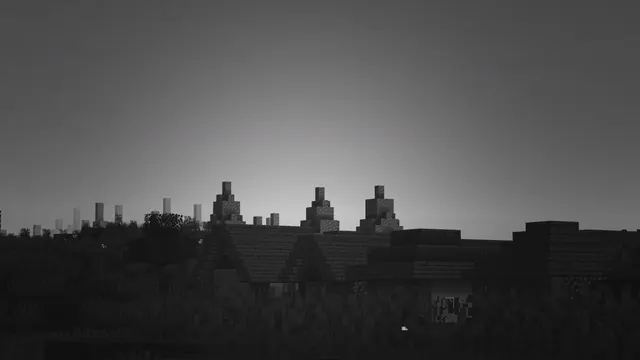
A moody black and white view of a quiet Minecraft village with peaked roofs silhouetted against a glowing horizon.
Captured in Java Edition, this monochrome scene turns a standard Plains biome settlement into a study of light and shadow. Rather than showing off intricate block textures, the composition relies on the familiar peaked roofs of vanilla village architecture reduced to stark silhouettes against a low, glowing horizon. To recreate this moody atmosphere in your own world, find angenerated Plains village, set the time to dusk, and enable a shader pack that supports desaturated post-processing and strong volumetric fog. Lowering your field of view while standing slightly down-slope will compress the buildings together, emphasizing the sharp roofline geometry against the fading sky.
The colour story is entirely achromatic, built from deep charcoal (#171616) in the foreground shadows up through mid-tone slate greys (#5c5c5c and #737373) to a soft ash (#979697) near the horizon. Because there is no competing hue, this background pairs naturally with a dark OS theme and gives you complete freedom with your system accent colour—though a muted amber or cool white keeps the understated feel intact. The composition leaves generous, uncluttered copy space across the top, bottom, left, and right edges. Whether you align your desktop icons along the sides or use a centred taskbar and top-heavy phone clock, your interface remains clearly legible without obscuring the village silhouette.
Captured at a source resolution of 4098 x 2304 pixels, the image scales cleanly down to standard 16:9 widescreen monitors without losing the crisp edges of the rooflines. Desktop users should grab the 3840x2160 (4K), 2560x1440, or 1920x1080 downloads, while older displays and compact laptops are covered by the 1280x720 and 854x480 options. If you want this quiet aesthetic on a vertical screen, dedicated portrait crops are available at 1080x1920, 720x1280, and 480x854.
Best used as: Pick the 3840x2160 crop for a sharp 4K desktop setup with dark mode enabled, or use the 1080x1920 version for a clean, distraction-free phone lock screen.








