
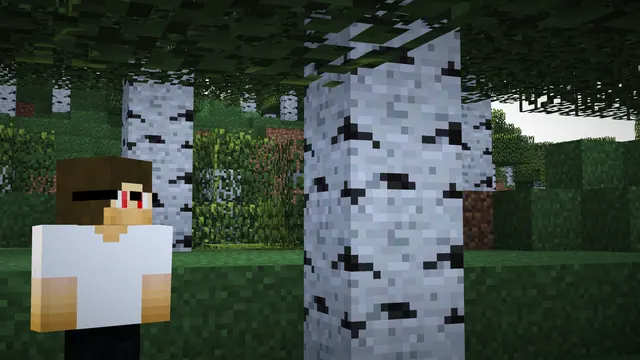
A 3D render of a Minecraft player in a white shirt standing beside a birch tree in a green forest.
This Blender 3D render captures a quiet moment in a vanilla Java Edition summer forest. A player in a plain white shirt stands beside the pale, speckled bark of a birch tree, surrounded by dense green foliage and the edge of a survival base. Rather than using bright midday sun, the scene relies on low-contrast, moody lighting that casts deep shadows across the grass blocks and leaves. To recreate a similar shot in-game without external rendering software, find a birch or regular forest biome, build a simple starter shelter, and use a shader pack with heavy ambient occlusion and muted daylight settings.
Although the file carries a 4K tag, the original source measures 3840 x 2034 pixels, which is slightly shorter than true 4K, and the largest available download is 2560x1440. This makes it an exact native fit for QHD desktop monitors, while 1920x1080, 1280x720, and 854x480 cover smaller 16:9 displays. If you want to use it on a mobile device, vertical crops are provided at 1080x1920, 720x1280, and 480x854.
Because the forest canopy and the foreground character fill the entire frame, there are no calm areas for desktop icons or a phone lock-screen clock to sit cleanly. You will get the best result on a desktop setup where you hide your shortcuts or rely on an auto-hiding taskbar. The palette is dominated by dark undergrowth greens (#1e291a, #10180f) and muted foliage (#3a4a3a), offset by the cool slate grey (#7c8693) of the shaded birch bark and shirt. Pairing this wallpaper with a dark system theme and a #7c8693 accent colour keeps the interface readable without clashing with the woodland tones.
Best used as: Pick the 2560x1440 or 1920x1080 crop for a clutter-free desktop monitor with hidden icons, as the busy forest background leaves no empty space for shortcuts.








