
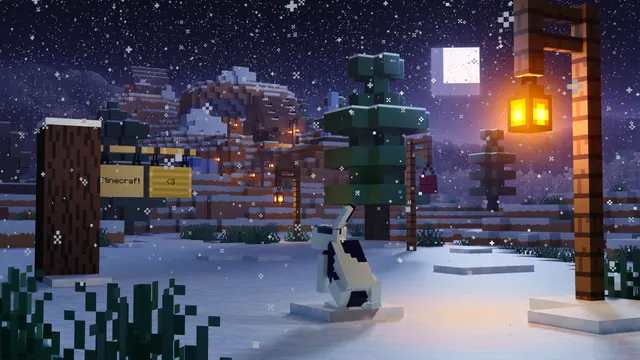
A black and white rabbit sits in a snowy Minecraft taiga at night under falling snow, glowing lanterns, and hanging signs.
This official key art from the 1.20 Trails & Tales update places a black-and-white rabbit in the middle of a snowy taiga at night. The scene relies on simple winter detailing, combining spruce trees, heavy snow layers, glowing lanterns, and the hanging signs introduced in 1.20. Because it is rendered in Mojang's cartoon promotion style rather than raw in-game geometry, the lighting from the lanterns casts a softer, more diffused glow across the falling snow.
The source file is a native 3840x2160 4K landscape, making it a sharp fit for large 16:9 desktop monitors, with scaled-down options at 2560x1440, 1920x1080, 1280x720, and 854x480. Vertical cuts are also provided at 1080x1920, 720x1280, and 480x854 for mobile lock screens. Whichever screen you use, keep in mind that the frame is busy with snow particles, foliage, and lanterns, leaving no calm areas for desktop icons or a phone clock to sit without overlapping the artwork. A clean desktop with a hidden taskbar or minimal folder layout works best here.
The colour story is distinctly moody, built around deep midnight blues (#141a27) and dark slate purples (#272538, #56526b), lifted only by the muted grey-white of the snow (#9f9ba6). Set your operating system to dark mode and pair it with a muted lavender (#56526b) accent colour so window borders blend naturally into the twilight palette. If you want to recreate this atmosphere in your own survival world, find a snowy taiga, hang spruce signs and lanterns from low-hanging branches, and use a shader pack with coloured block light during a nighttime snowfall.
Best used as: Download the 3840x2160 landscape version for a 4K or 1440p monitor with desktop icons hidden, or pick the 1080x1920 portrait crop if you do not mind your phone's clock overlapping the background details.








