
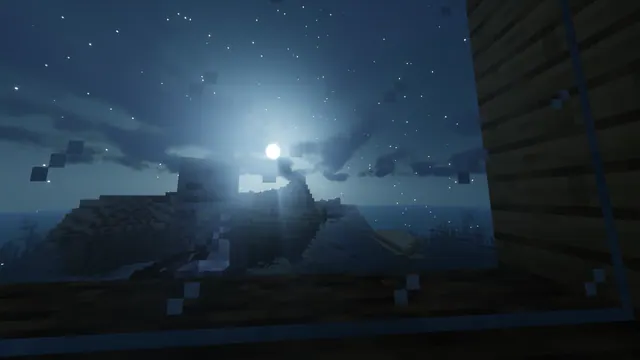
A spooky Minecraft skeleton looks through a glass window against a glowing moon and starry night sky over the ocean.
Every early-game player knows the feeling of waiting out the night while a hostile mob lingers just outside the glass. Captured in Java Edition from the 1.13 Update Aquatic onwards, this scene looks out from a vanilla survival base over an ocean biome. A skeleton stands directly against the window, framed by a glowing moon and a starry sky enhanced by a shader pack. Because the skeleton occupies the left side of the frame, the right, top, and bottom edges offer medium copy space where desktop icons, dock bars, or a mobile lock-screen clock can sit without obscuring the mob's face.
The native source file measures 3840x2160 pixels in a 16:9 aspect ratio, making it a true 4K desktop background. You can also download scaled widescreen versions at 2560x1440, 1920x1080, 1280x720, and 854x480 for smaller monitors or laptops. If you want to use it on a smartphone, vertical crops are provided at 1080x1920, 720x1280, and 480x854.
This image has a distinctly dark mood, built around deep shadows (#0c0e0e and #111619) and midnight blue tones (#233951). It works well in poorly lit rooms as it will not cause eye strain when you minimise a window. To make your operating system blend in seamlessly, pair this wallpaper with a dark system theme and a muted slate-blue accent colour (#4d6c84) that matches the moonlit water and glass reflections.
To recreate a screenshot like this in your own world, build a coastal shelter facing west or east so the moon rises or sets over the water. Use default vanilla textures so the classic pixel grid on the glass pane remains visible, but install a shader that adds atmospheric glow to the night sky. Trap a skeleton on a single block outside the window, turn off your interior torches to prevent warm light pollution, and lower your field of view to 30 before taking the shot.
Best used as: Use the 3840x2160 or 2560x1440 landscape file for a widescreen monitor with your desktop icons aligned to the right, or pick the 1080x1920 vertical crop for a phone lock screen with a top-centred clock.








