
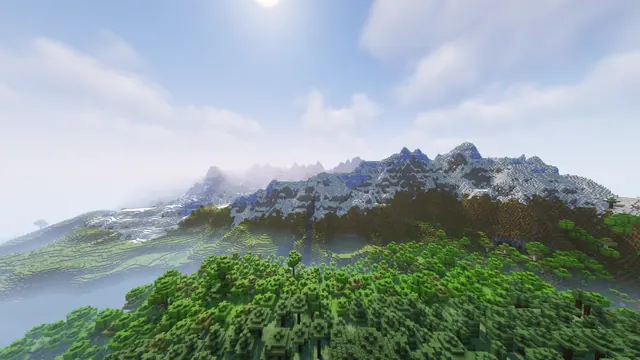
A sweeping Minecraft landscape featuring lush green oak and birch forests below a majestic snow-capped mountain range under a bright sky.
This 1920x1080 wallpaper captures a classic overworld scene from the Java Edition 1.17–1.18 Caves & Cliffs update, showcasing the sheer vertical scale of modern mountain generation. Below the towering, snow-capped peaks lie dense vanilla forests of oak and birch trees, rendered with a subtle custom shader that deepens the shadows and softens the daytime lighting. The overall mood leans towards moody and atmospheric, trading the bright, saturated tones of default Minecraft for a cooler, more grounded palette.
Measuring exactly 1920x1080 pixels, this desktop background maxes out at Full HD, meaning it lacks the pixel density for 1K or 4K displays but remains crisp on standard monitors and laptops. Beyond the native 1920x1080 file, available download sizes include 1280x720 and 854x480 for smaller desktop screens, alongside a vertical 480x854 crop tailored for mobile devices. The top strip of the image offers a clean, uncluttered expanse of bright sky, providing a natural, distraction-free zone where desktop shortcut icons or a phone lock-screen clock can sit comfortably without obscuring the landscape details.
The colour story is anchored by a restrained natural palette defined by deep forest greens (#3b4a32 and #738b7b) contrasted against icy mountain highlights (#b6c6e1 and #d2d9ea). Operating system themes in dark slate grey, muted forest green, or pale ice blue pair naturally with these tones, making the wallpaper feel integrated with your desktop UI. Recreating this exact view in your own single-player world requires heading into a stony peaks or jagged peaks biome adjacent to a forest, using a world seed from version 1.18 or later, and applying a lightweight performance shader to match the soft, overcast illumination.
Best used as: Use the native 1920x1080 size for a standard desktop monitor, or select the 480x854 vertical crop if you are setting this up on a smartphone screen.








