
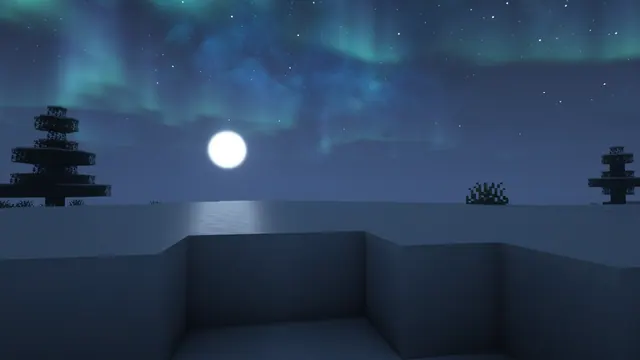
A serene Minecraft winter night landscape featuring a bright full moon and vibrant green aurora borealis over a snow-covered tundra with spruce trees.
This wallpaper captures a vanilla Snowy Tundra biome in Java Edition, left untouched by builds to highlight the natural terrain generation. The scene relies entirely on standard snow blocks, snow layers, and scattered spruce trees, transformed by a shader pack that adds a bright full moon and green aurora borealis to the night sky. If you want to recreate this in your own world, locate a flat snowy biome, set the time to midnight, and enable a shader with custom skybox and volumetric aurora options. Turning your field of view down to around 50 will help flatten the perspective and frame the treeline against the sky just like this shot.
Despite the bright green lights in the sky, the dominant palette of deep navy and slate blues (#151f2c, #27384f, #334a6b, and #3a557a) keeps the overall mood dark and easy on the eyes in a dim room. This colour story pairs naturally with a dark OS theme, and setting your system accent colour to a muted teal or frost blue will tie your taskbar and window borders directly into the landscape. For a clean desktop layout, the calm areas on the right and bottom provide plenty of uncluttered snow and shadowed sky where shortcuts or widgets can sit without clashing with the detailed spruce needles or the brightest bands of the aurora.
The source image is a native 3840x2160 4K capture, making it a sharp fit for standard 16:9 widescreen monitors. You can download the exact match for 4K, 2560x1440, 1920x1080, or 1280x720 displays, as well as a smaller 854x480 version for older screens. If you want to use it on a mobile device or a vertical secondary monitor, pre-cropped 1080x1920, 720x1280, and 480x854 portrait versions are also available, where the lower snowbank leaves clear space for a lock-screen media player.
Best used as: Pick the 3840x2160 or 2560x1440 landscape file for a primary widescreen monitor and align your desktop icons along the bottom or right edge.








