
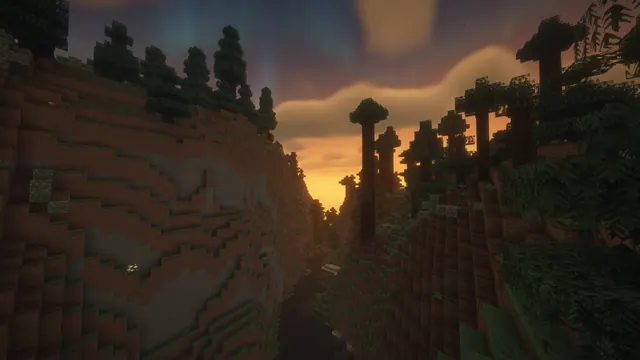
A scenic Minecraft taiga canyon at sunset, featuring tall spruce trees silhouetted against a warm glowing sky and soft shader clouds.
Spruce Canyon Valley at Glowing Sunset captures a classic Java Edition taiga landscape under soft shader clouds. The scene is lit by the warm, low rays of a vanishing sun, throwing tall spruce trees into deep relief against the canyon walls. This is pure vanilla world generation enhanced by atmospheric lighting rather than a massive player-built mega-project, showing off the natural drama of eroded terrain and dense evergreen cover in standard 1.20+ environments.
The source image measures exactly 1920x1080 pixels, meaning it sits firmly in standard Full HD territory rather than 4K. Available download sizes include 1920x1080 and 1280x720 for desktop screens, alongside 854x480 and 480x854 for mobile devices. Because the dark canopy of trees and rugged canyon walls stretch across the entire frame, there are no truly neutral or calm areas where desktop icons or phone clocks will sit comfortably without visual clutter, so you may want to hide your shortcuts or place them carefully over the darkest shadows near the lower edge.
The dominant palette relies on very deep, low-luminance tones—specifically dark charcoal #151610 and muted earth browns #261c15, #33281d, and #463d3a. This overall dark mood pairs exceptionally well with dark system themes and warm amber or muted orange accent colours on Windows, macOS, or Linux.
Recreating a view like this in your own single-player world requires locating a mountainous taiga biome with amplified terrain or jagged peaks enabled. You will need a lightweight performance-friendly shader pack to soften the cloud layer and generate long shadows, then position your observer at the base of a canyon just before in-game dusk.
Best used as: Select the 1920x1080 download for standard desktop monitors, or use the 480x854 port-trait crop if you prefer a moody vertical background for your phone.








