
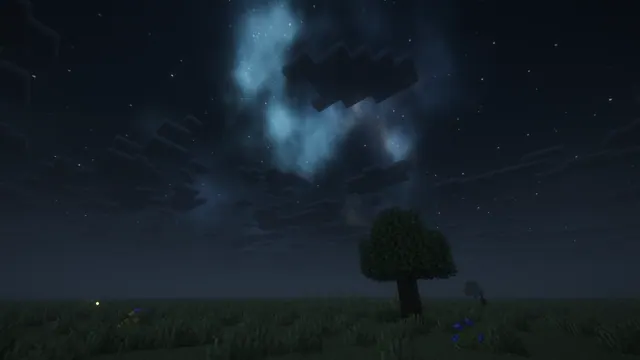
A peaceful Minecraft plains landscape at night featuring a glowing nebula, starry sky, blocky clouds, and a solitary oak tree.
This Java Edition desktop wallpaper captures a quiet plains biome at night, rendered in a vanilla-faithful style enhanced by a subtle shader. The scene centres on a solitary blocky oak tree standing against a dark horizon, beneath a sky filled with crisp stars and a soft, glowing nebula. Low-hanging, blocky clouds drift past, completing a peaceful landscape that avoids the clutter of heavy builds or busy structures. At 1920x1080 and 1920x1200 native pixels, the source file sits below modern 4K standards, making it best suited for standard 1080p monitors, older laptops, or high-definition tablets rather than ultra-wide or high-density displays.
Because the night sky and dark terrain dominate the composition, the palette rests on deep midnight tones ranging from near-black #0b1218 to muted slate shades like #11191e, #172023, and #1d262f. These dark values pair naturally with dark system UI themes, particularly midnight-blue or charcoal desktop accents that benefit from low-contrast, non-glaring backgrounds. Practical layout is well-supported here: the composition leaves the top, left, and right regions quiet and uncluttered, meaning desktop shortcut icons or mobile clock widgets can sit comfortably in those areas without obscuring the central tree or the nebula.
Recreating a similar view in your own world requires finding a flat plains biome in Java Edition, clearing away surrounding foliage, and planting a single oak sapling until it grows into the classic shape. Using a performance-friendly shader pack will help introduce the soft night lighting and subtle starfield overhead, while waiting for a clear weather cycle ensures the nebula and clouds remain sharp and unobstructed against the dark backdrop.
Best used as: Choose the 1920x1080 download for standard widescreen desktop monitors, making use of the clear left, right, and top areas to keep your shortcut icons organised.








