
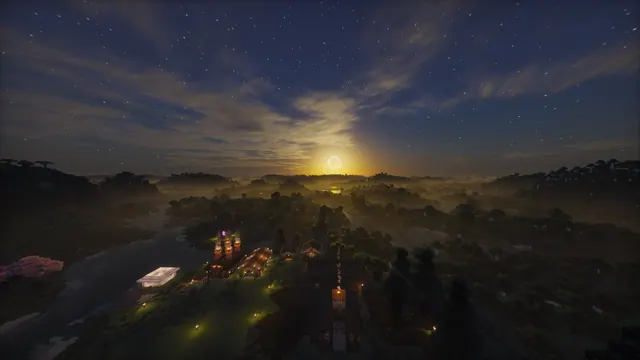
A scenic Minecraft landscape at twilight featuring a glowing horizon, starry sky, and a warm-lit village beside a misty river.
Captured in Java Edition 1.20 Trails & Tales, this forest landscape showcases a warm-lit survival base nestled beside a misty river. The build uses vanilla blocks—likely spruce and cobblestone—brought to life with a shader that casts a glowing horizon and a starry twilight sky over the water. Despite the warm lantern light in the village, the overall mood is decidedly dark. The image is anchored by deep charcoal and slate tones, specifically #151413 and #252221 in the shadowed trees, shifting to #313341 and #3e3d44 across the twilight sky and mist. To make your setup feel cohesive, pair this background with a dark system theme and a muted slate or warm amber accent colour.
The source image measures 2560 x 1440 pixels. It is not available in 4K, so it is best suited to 2K (1440p) monitors or standard 1920x1080 desktops where it will display cleanly without upscaling. You can also download 1280x720 and 854x480 versions for smaller 16:9 screens, or pick the 720x1280 and 480x854 crops for older phones. Because the calmest areas are at the top and right, you should align your desktop icons to the right-hand side or let your phone's lock-screen clock sit in the upper sky, keeping the village and river unobstructed.
If you want to recreate a view like this in your own world, start by building a riverside settlement in a forest biome using standard vanilla blocks and plenty of lanterns along the water's edge. Load the world in Java Edition with OptiFine or Iris, and enable a shader with volumetric fog and custom skyboxes to generate the morning mist and stars. Finally, set the time to late dusk, lower your field of view to around 30 for a flatter perspective, and take the screenshot from a nearby hill.
Best used as: Pick the native 2560x1440 or 1920x1080 landscape file for a desktop monitor and place your desktop shortcuts along the top or right edges.








