
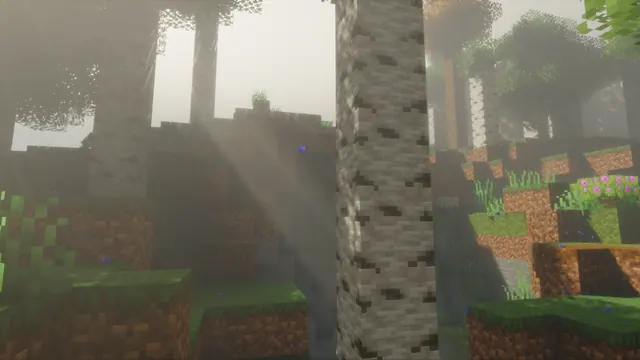
Soft volumetric sunbeams pierce through the morning fog in a tranquil Minecraft birch forest with shaders.
This moody landscape captures a vanilla birch forest biome during the 1.17–1.18 Caves & Cliffs era of Java Edition. Instead of relying on complex player builds, the scene lets the natural terrain generation—white-barked birch logs, birch leaves, and standard grass blocks—do the work. The defining feature here is the lighting: volumetric sunbeams pierce through dense morning fog, a signature effect of community shaders that transforms a bright spring forest into something much more atmospheric.
The original capture sits at 2560x1377 pixels, which is a 2K-class ultrawide-ish window and noticeably below 4K resolution. For standard 16:9 monitors, the 1920x1080 download is your sharpest choice, with 1280x720 and 854x480 available for older displays. Mobile users can grab the 720x1280 or 480x854 vertical crops, though these are suited to older or budget handsets rather than modern high-density screens. Because the diagonal light shafts and vertical tree trunks cross the entire frame, there are no calm areas for desktop icons, so you may want to hide your shortcuts or accept a bit of visual clutter around your phone clock.
Despite birch wood being naturally bright, the fog pulls the image into a dark, earthy palette dominated by muted taupe (#797463, #686052), deep olive-brown (#423e31), and mossy grey-green (#565645). It pairs effortlessly with a dark system theme and a warm grey accent colour like #797463 for your taskbar. To recreate this yourself, load up Java Edition 1.18 with a shader pack that supports volumetric lighting, find a standard birch forest, set the time to early morning (`/time set 0`), and lower your field of view to compress the trees into a denser woodland.
Best used as: Pick the 1920x1080 crop for a standard Full HD desktop monitor and toggle your desktop icons off so they do not clash with the birch trunks and light shafts.








