
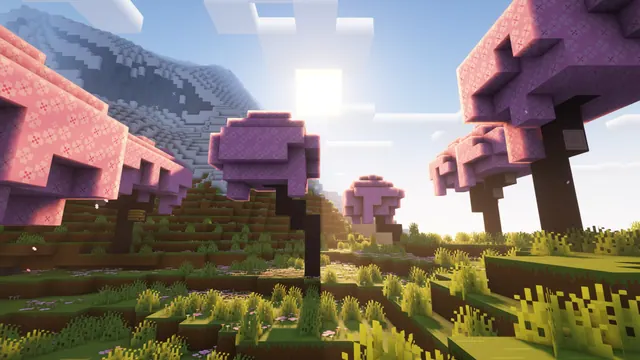
Bright sunlight shines over pink cherry blossom trees on a grassy hill with snowy mountains in the background.
This wallpaper captures a Vanilla Cherry Grove biome introduced in the Java Edition 1.20 Trails & Tales update. Instead of a player-made structure, the scene relies entirely on natural terrain generation, showing pink cherry blossom trees climbing a grassy hill with jagged, snow-capped mountains behind them. Although the sunlight is bright, a shader pack casts deep shadows across the foreground, giving the spring landscape a distinctly moody atmosphere. To recreate a shot like this in-game, you will need a world seed where a Cherry Grove generates directly beside a Frozen Peaks or Jagged Peaks biome, paired with a shader that exaggerates directional sunlight and atmospheric haze.
Despite the pink leaves in the scene, the measured palette is surprisingly earthy and muted. It is anchored by deep bark brown (#3e2c29) and shadowed turf (#5f5342), balanced against a cool, overcast sky blue (#bbc4d8) and warm dusty stone (#a69586). Because the overall tone is dark and moody, this image pairs best with an operating system dark mode and a muted accent colour like slate blue or warm taupe. On the other hand, the frame is packed with high-contrast foliage, sunlit ridges, and textured blocks from edge to edge, meaning there are no calm areas for desktop icons or phone lock-screen widgets to sit legibly. It suits a clean desktop setup where you hide your shortcuts or rely on an auto-hiding taskbar.
The source file is a 16:10 widescreen at 2560 x 1600 pixels, which is a 2K resolution and falls short of 4K. That native size fits modern 16:10 productivity laptops without any cropping. For standard 16:9 monitors, you can pick the 2560x1440 or 1920x1080 downloads, along with smaller 1280x720 and 854x480 options for older displays. Two vertical crops—720x1280 and 480x854—are also available, though they are quite low-resolution for modern smartphones.
Best used as: Use the native 2560x1600 file for a 16:10 laptop or the 2560x1440 crop for a standard 1440p desktop monitor, and keep your desktop icons hidden so they do not clash with the busy foliage.








