
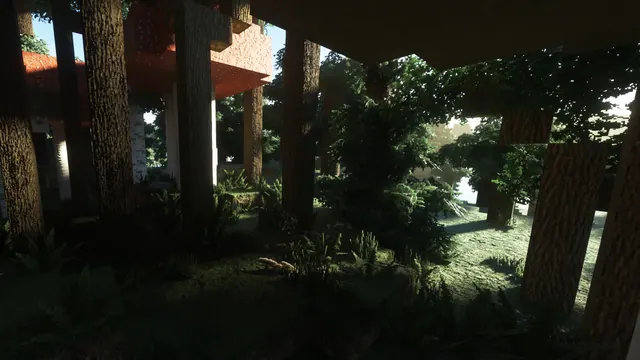
Sunlight filters through giant mushrooms and thick tree trunks in a hyper-realistic Minecraft forest rendered with shaders and high-resolution textures.
This scene captures a dense Dark Forest biome in Minecraft Java Edition, where thick 2x2 dark oak trunks and giant brown and red mushroom blocks crowd the canopy. Rather than showcasing a player-made build, it relies on natural terrain generation enhanced by a summer-toned shader pack and high-resolution resource pack textures. Volumetric godrays cut through the heavy foliage, casting sharp, realistic shadows across the undergrowth. If you want to recreate this view in-game, load a Java Edition world with OptiFine or Iris, install a photorealistic texture pack alongside a shader supporting volumetric lighting, and set the time to early morning inside a Dark Forest.
The original capture measures 3440 x 1440 pixels, making it a native 21:9 ultrawide image. Because this source resolution sits below 4K, it will look sharpest on 1440p monitors rather than large 4K displays. Standard widescreen users can select from the 16:9 cropped downloads at 2560x1440, 1920x1080, 1280x720, or 854x480.
Despite the shafts of sunlight, the overall mood remains decidedly dark. The palette is anchored by deep, earthy tones: near-black woodland shadows (#080b07 and #110f0a) mix with muted peat (#17160f) and dark olive-brown (#28281e). Pair this background with your operating system's dark mode and use a muted olive or warm amber accent colour for window borders and taskbars to match the dappled light. Because the detailed bark textures and foliage fill the entire frame, there are no calm areas for desktop icons or widgets to sit cleanly. It works best on a clutter-free desktop where you auto-hide the taskbar or keep files tucked away in drawers.
Best used as: Use the native 3440 x 1440 file for a 21:9 ultrawide monitor, or pick the 2560x1440 crop for a standard 16:9 QHD display with minimal desktop icons.








