
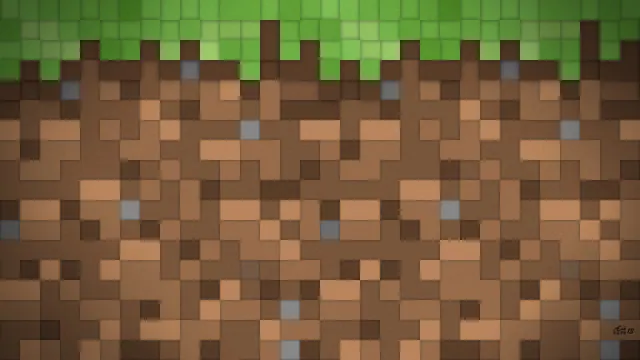
A clean, shaded pixel pattern resembling the classic Minecraft grass and dirt block texture.
This fan art piece isolates the side profile of a standard vanilla grass block, turning the game's most recognisable terrain feature into a flat, shaded pixel pattern. Instead of an in-game screenshot with directional lighting, it presents a uniform grid of soil and turf, evoking the classic Plains biome grass tint without any distractions. Because the entire frame is filled with high-contrast pixel edges, there are no calm areas where desktop icons or a phone clock can sit cleanly. If you use this on a desktop, you will need to hide your shortcuts or rely on drop-shadow text to keep folder names legible against the busy dirt texture.
The source image tops out at a 2K resolution of 2560x1440, meaning it is below 4K and will need upscaling on ultra-high-definition monitors. For standard 16:9 widescreen displays, the native 2560x1440, 1920x1080, 1280x720, and 854x480 downloads fit without stretching. If you want to use it on a mobile device, two vertical crops at 720x1280 and 480x854 are available, though they best suit older phones or secondary screens.
Despite being mostly soil, the overall mood is vibrant, driven by the lush turf green (#82964b) along the top edge. The lower section is anchored by warm earth tones, shifting between mid-tone browns (#705037 and #8b744a) and a deeper shadow shade (#503825). Pairing this wallpaper with a dark system theme and matching your OS accent colour to the #82964b green creates a cohesive desktop setup. To recreate a scene like this in-game, stack a flat wall of grass blocks in a Plains biome, set the time to noon for even lighting, and lower your FOV to 30 while looking straight at the block face.
Best used as: Pick the native 2560x1440 or 1920x1080 file for a 16:9 desktop monitor with hidden icons, or use the 720x1280 vertical crop for a clean lock screen.








