
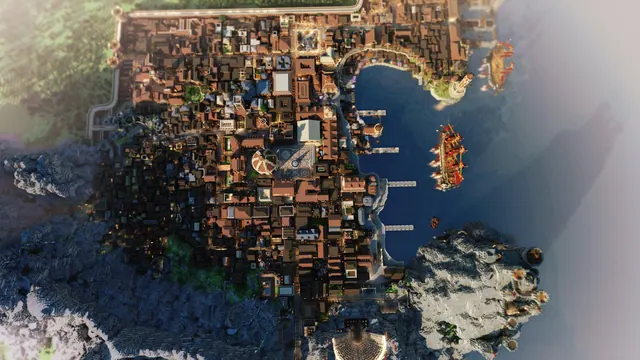
A stunning top-down view of a massive medieval walled port city in Minecraft, featuring ships in the harbor and rugged coastal cliffs.
This top-down view captures a sprawling medieval walled port city built in Java Edition, hugging rugged coastal cliffs beside an ocean biome. The architecture relies on a custom Medieval Pack, blending densely packed cobblestone roofs, timber framing, and stone brick fortifications with rigged sailing ships anchored in the harbour. Instead of relying on in-game shaders, the scene is a Chunky Render with moody summer lighting, which casts long, deliberate shadows across the docks and gives the coastal water a deep, slate-like texture. To recreate a shot like this yourself, you would need to construct a diagonal port layout, export the world chunks into the external Chunky path-tracing software, and position the camera directly overhead with a low sun angle to highlight the roof relief.
The source image measures 3200 x 2000 pixels, giving it a native 16:10 aspect ratio. It is worth noting plainly that the resolution caps below 4K, so users with ultra-high-definition monitors will experience slight upscaling. However, the 2560x1440 and 1920x1080 downloads suit standard 16:9 desktops, while the native 3200x2000 source file fits 16:10 productivity monitors and modern laptops without cropping. Vertical crops at 1080x1920, 720x1280, and 480x854 are available for mobile screens, alongside smaller 1280x720 and 854x480 landscape options for compact displays.
Because the city grid, cliff edges, and rigging fill the entire frame, there are no calm areas for desktop icons or phone clocks. Every quadrant is packed with high-contrast architectural detail, meaning text labels will struggle for legibility unless you hide your desktop icons completely or use a solid taskbar. The colour story is anchored by the deep navy of the harbour (#192430) and transitions through weathered stone greys and muted browns (#47413d, #797168, #a2988f). Pairing this wallpaper with a dark system theme and a warmtaupe accent (#a2988f) will tie your operating system's interface directly into the aged masonry of the build.
Best used as: Use the native 3200x2000 file for 16:10 laptops, or pick the 2560x1440 crop for standard 2K desktop monitors with desktop icons hidden.








