
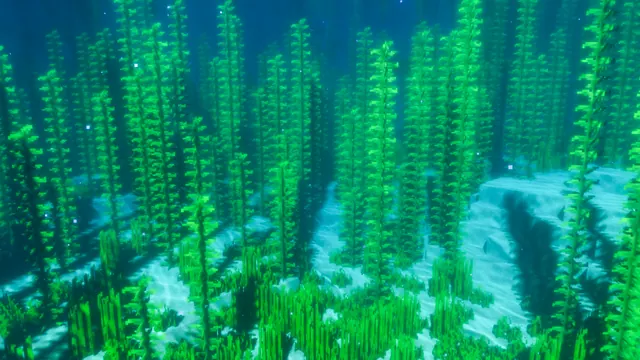
A serene underwater Minecraft scene featuring tall green kelp and seagrass illuminated by realistic shader caustics on the sandy ocean floor.
This image captures a vanilla ocean biome introduced in the Java Edition 1.13 Update Aquatic. Instead of relying on player-built structures, the composition focuses entirely on natural terrain generation: tall kelp stalks and low seagrass patches rooted in a sandy seabed. The visual interest comes from a community shader pack, which replaces Minecraft's flat underwater fog with refracted light beams and bright caustics patterns rippling across the sand blocks.
The source file is a native 3840 x 2160 pixels, making it a true 4K 16:9 image. You can grab the full 3840x2160 version for an ultra-sharp desktop display, or step down to 2560x1440, 1920x1080, 1280x720, or 854x480 for older monitors. If you want to use it on a mobile device, vertical crops are pre-cut at 1080x1920, 720x1280, and 480x854. Be aware that because the swaying kelp and bright shader caustics fill the entire frame, there are no calm areas for icons or lock-screen widgets to sit cleanly. If you have a cluttered desktop, your folder labels will likely clash with the detailed plant textures.
Despite being deep underwater, the overall mood is decidedly vibrant. The palette is anchored by rich aquas and teals, specifically emerald green (#019763) and deep sea-green (#005760), alongside lighter highlights of mint (#19c18a) and mid-tone teal (#03796a). To make your setup look cohesive, enable your operating system's dark mode to frame the bright water, and set your system accent colour to #19c18a so your taskbar and window borders match the sunlit kelp.
Recreating this shot yourself is straightforward since no building is required. Load up any modern Java Edition world, locate a lukewarm or standard ocean biome, and swim down to a flat sandy basin. You will need a shader mod like Iris or OptiFine paired with a pack that supports underwater light caustics, then simply press F1 to hide your HUD and take the screenshot.
Best used as: Pick the 3840x2160 or 2560x1440 file for a wide desktop monitor where you keep the taskbar hidden and desktop icons turned off.








