
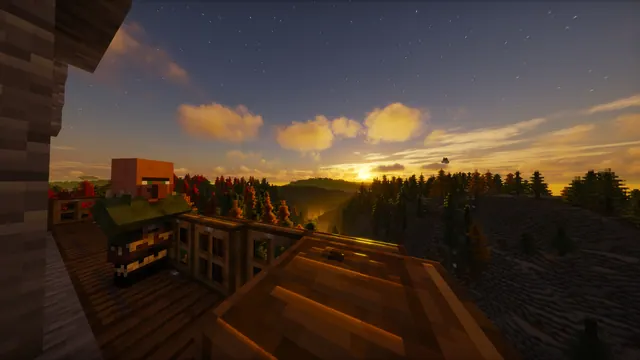
A Minecraft villager stands on a wooden balcony overlooking a misty autumn forest under a starry sunset sky with realistic shaders.
A lone villager looks out from a spruce balcony over a misty Taiga biome, capturing the quieter side of the Java Edition 1.14 Village & Pillage update. The build uses simple vanilla wooden planks and fences, relying on a realistic shader pack to transform the default foliage into an autumn canopy beneath a starry sunset. If you want to recreate this in-game, build an elevated lookout on the edge of a Taiga village, set the time to dusk, and enable a shader that supports volumetric fog and custom foliage colours.
The original capture measures 2560 x 1377 pixels, which is a 2K resolution that falls short of 4K. Because the source is slightly wider than standard widescreen, the 1920x1080, 1280x720, and 854x480 downloads are cropped to fit a true 16:9 desktop monitor cleanly. For mobile devices, vertical crops are available at 720x1280 and 480x854, isolating the villager and the immediate horizon for smaller screens.
Compositionally, the image offers medium copy space, with the calmest area located across the top third where the starry sky is uncluttered by trees or timber. This upper zone is the best place to arrange your desktop folders or a mobile lock-screen clock so they remain legible. The overall mood is distinctly dark, anchored by deep timber browns (#2f180b, #18100a) in the foreground and muted slate greys (#695f5e, #453b3b) in the valley mist. To keep your setup cohesive, pair this background with a dark system theme and use a warm amber or muted grey accent colour for your taskbar and window borders.
Best used as: Download the 1920x1080 crop for a standard 16:9 desktop monitor and align your desktop icons along the top edge over the dark sky.








