
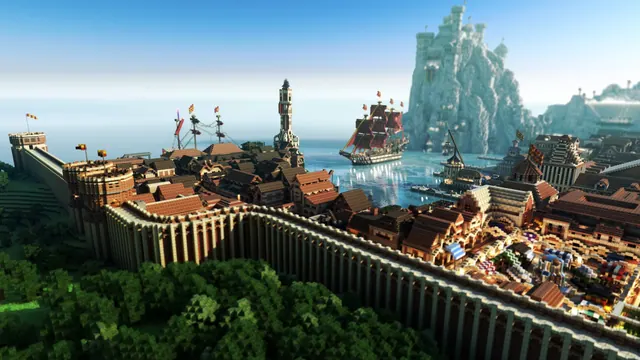
A vast walled medieval port city in Minecraft featuring sailing ships, a busy harbor, and a towering castle on a rocky mountain.
This image depicts a fortified medieval port city set in a Minecraft Ocean biome, built in Java Edition and processed as a Chunky render. The architecture relies on a custom Medieval Pack to detail the timber-framed harbour buildings, stone fortifications, and sailing ships, all beneath a towering castle perched on a rocky mountain. Despite a summer setting, the external ray-tracing gives the scene a distinctly moody lighting profile. Because the dense masonry and rigging fill the entire frame, there are no calm areas for desktop icons, so you will want to hide your shortcuts or rely on an auto-hiding dock.
The source file is a 2K image at a 16:10 aspect ratio of 2560 x 1600 pixels. It does not reach 4K resolution, meaning it will require upscaling on ultra-high-definition monitors, though it remains crisp on standard laptops and mid-sized displays. Alongside the native file, we provide horizontal crops at 2560x1440, 1920x1080, 1280x720, and 854x480 for standard widescreen monitors. Mobile users can download the 720x1280 or 480x854 vertical cuts, though the busy background means your lock-screen clock will inevitably overlap with the architecture.
The colour story balances a pale, overcast sky (#c1dbec) and muted slate water (#759195) against deep, shadowed greens and browns (#0c150b and #26261b) in the cliffs and timber. To match this palette, set your operating system to a dark theme and use a slate-blue accent colour (#759195) for your taskbar and window borders. If you want to recreate a scene like this yourself, construct your terrain and structures in Java Edition using a medieval resource pack, then export the world into Chunky to dial in low-angle summer sunlight and atmospheric fog.
Best used as: Pick the native 2560x1600 file for 16:10 laptops, or the 2560x1440 crop for standard QHD desktop monitors with desktop icons hidden.








